Tactile Efficiency in Modern Smart Homes
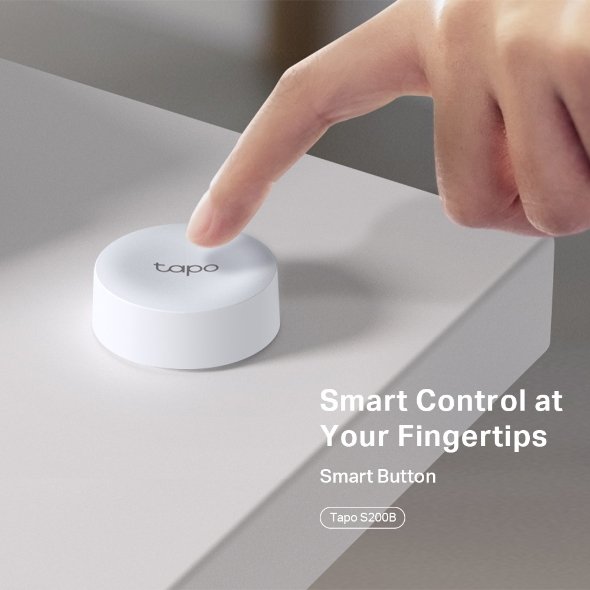
Relying on mobile apps or voice commands for every minor adjustment in your smart home can become tedious. The TP-Link Tapo S200B Smart Button provides a direct, physical solution to this problem. It functions as a versatile remote that manages your lights, plugs, and cameras with simple manual interactions.
This hardware interface is especially useful for guests or children who may not have access to your home automation software. By placing this button in a convenient location, you ensure that basic home functions remain accessible to everyone. It bridges the gap between traditional electrical switches and modern IoT capabilities.
Versatile Multi-Gesture Control
The TP-Link Tapo S200B Smart Button is not just a standard on-off switch. It supports four distinct physical actions: single tap, double tap, clockwise rotation, and counter-clockwise rotation. Each of these can be mapped to a specific routine or device within the Tapo ecosystem.
You might program a single tap to toggle your living room lamps. A double tap could initiate a ‘Good Night’ scene that turns off all electronics and locks the doors. The rotating bezel provides an intuitive way to dim or brighten smart bulbs with fine-tuned precision that voice commands often lack.
Reliable Wireless Performance
Engineered to work on the Sub-1GHz frequency, the TP-Link Tapo S200B Smart Button offers superior range compared to standard 2.4GHz Wi-Fi devices. This low-frequency signal penetrates walls more effectively and avoids interference from other household wireless signals. This ensures that your commands are received instantly without the latency issues common in congested networks.
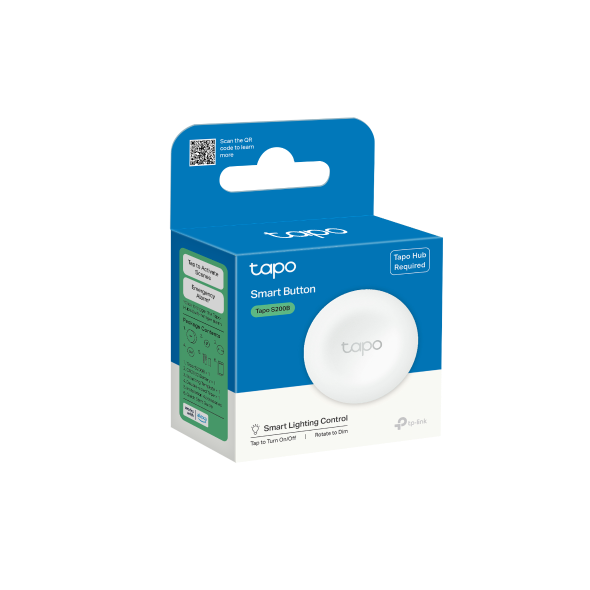
For those looking to expand their ecosystem further, it is a smart choice to buy TP-Link networking products in India from reputable suppliers. This button requires a Tapo Smart Hub to operate, which acts as the gateway for all your low-power sensors. This centralized architecture keeps your main Wi-Fi network free from clutter and improves overall stability.
Smart Emergency and Security Integration
Beyond simple lighting control, the TP-Link Tapo S200B Smart Button serves as a critical safety tool. You can configure it as an SOS button for elderly family members or individuals with limited mobility. A single press can trigger a notification to your smartphone or sound a loud alarm through the connected Tapo Hub.
It also integrates with your surveillance hardware. You can program the button to toggle privacy mode on your smart cameras or start a recording manually if you notice something suspicious. This level of manual override provides a sense of security that automated schedules cannot always provide.
Technical Specifications and Durability
- Power Source: CR2032 Battery with over one year of typical usage life.
- Connectivity: Sub-1GHz wireless protocol for extended range.
- Gestures: Single Tap, Double Tap, Clockwise Rotation, Counter-clockwise Rotation.
- Mounting Options: Magnetic base, adhesive strip, or traditional screw mounting.
- Compatibility: Requires Tapo Smart Hub (H100 or H200).
- Indication: LED status light for feedback on action success.
Flexible Installation Anywhere
The design of the TP-Link Tapo S200B Smart Button focuses on portability and ease of placement. It comes with a magnetic base that can attach directly to metal surfaces like refrigerators. Alternatively, the included adhesive tape allows you to mount it on walls without drilling any holes.
Its compact size makes it perfect for placement on a nightstand, coffee table, or even by the front door. Because it is battery-operated and wireless, you are never restricted by the location of electrical outlets. This allows you to redesign your room layout without worrying about re-wiring your light switches.
Long-Term Battery Life and Maintenance
Power management is a priority for this device. It uses a standard CR2032 coin cell battery which is easy to replace when needed. Because the Sub-1GHz protocol is extremely energy-efficient, the battery typically lasts for more than 12 months with frequent daily use.
The Tapo app will send you a low-battery notification long before the device fails. This proactive alerting system prevents situations where your smart home controls suddenly stop working. Replacing the battery is a tool-free process that takes only a few seconds.
Optimizing Your Automation Logic
Advanced users can use the TP-Link Tapo S200B Smart Button to trigger complex automation chains. For instance, you could set the rotation feature to control a group of smart plugs connected to fans or heaters. This level of granular control over groups of devices simplifies environmental management in larger homes.
The button is also useful for clearing notifications or resetting alarms. If your smart leak sensor or motion detector triggers an alert, you can use the button to acknowledge and silence the hub. This physical feedback loop makes managing a complex smart home feel much more natural and less reliant on digital screens.
The Value of Localized Control
One of the biggest advantages of the TP-Link Tapo S200B Smart Button is its ability to perform local tasks through the hub. Even if your internet connection drops temporarily, the button can often still trigger local actions because it communicates directly with the hub. This reduces the dependency on cloud servers for basic home operations.
As smart home adoption grows, the need for tactile, low-latency controllers becomes evident. This button is a professional-grade solution for those who value reliability and speed. It is a small but powerful addition that significantly enhances the usability of any modern smart home installation in India.
Final Thoughts on Integration
Setting up the TP-Link Tapo S200B Smart Button takes less than two minutes via the mobile app. Once paired with your hub, the configuration options are virtually limitless. Whether you use it for convenience, accessibility, or security, it remains one of the most practical accessories in the Tapo lineup.

 Fast Air Cargo delivery

Reviews
Clear filtersThere are no reviews yet.