TP-Link RE200 AC750 Dual-Band Wi-Fi Range Extender
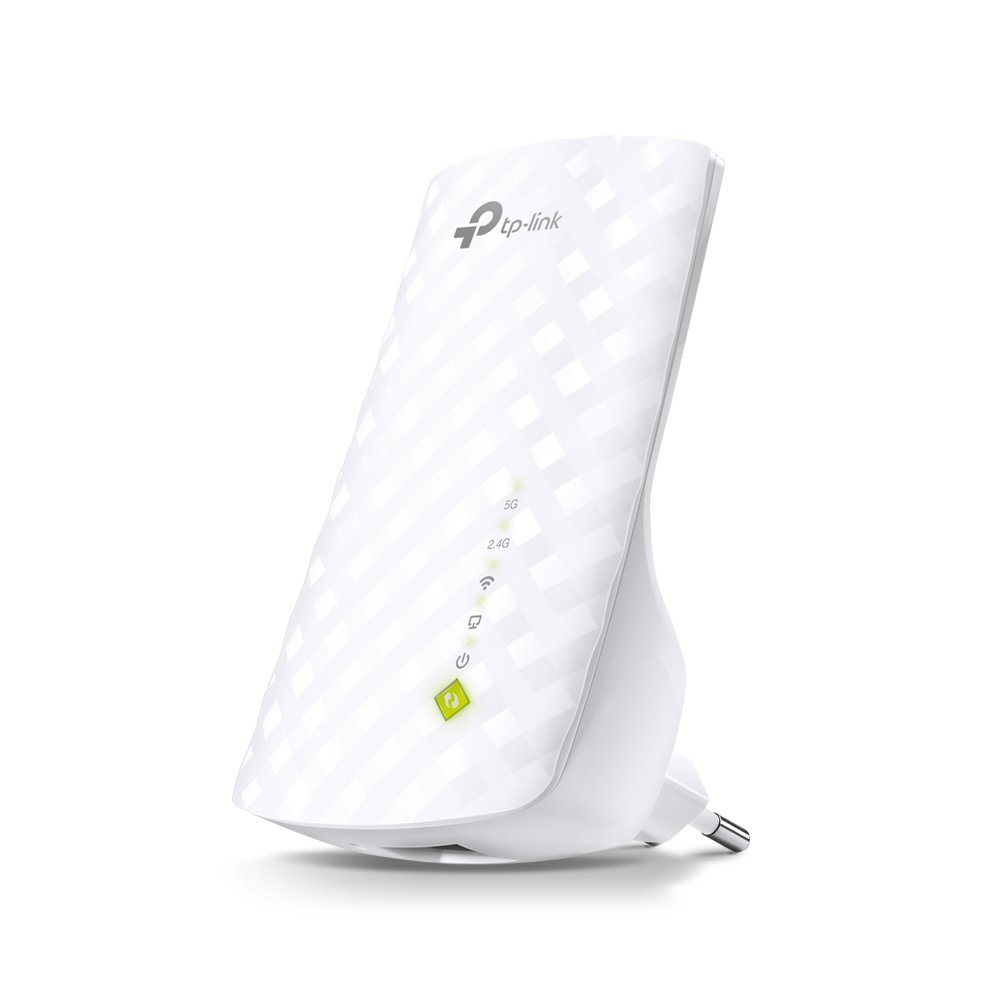
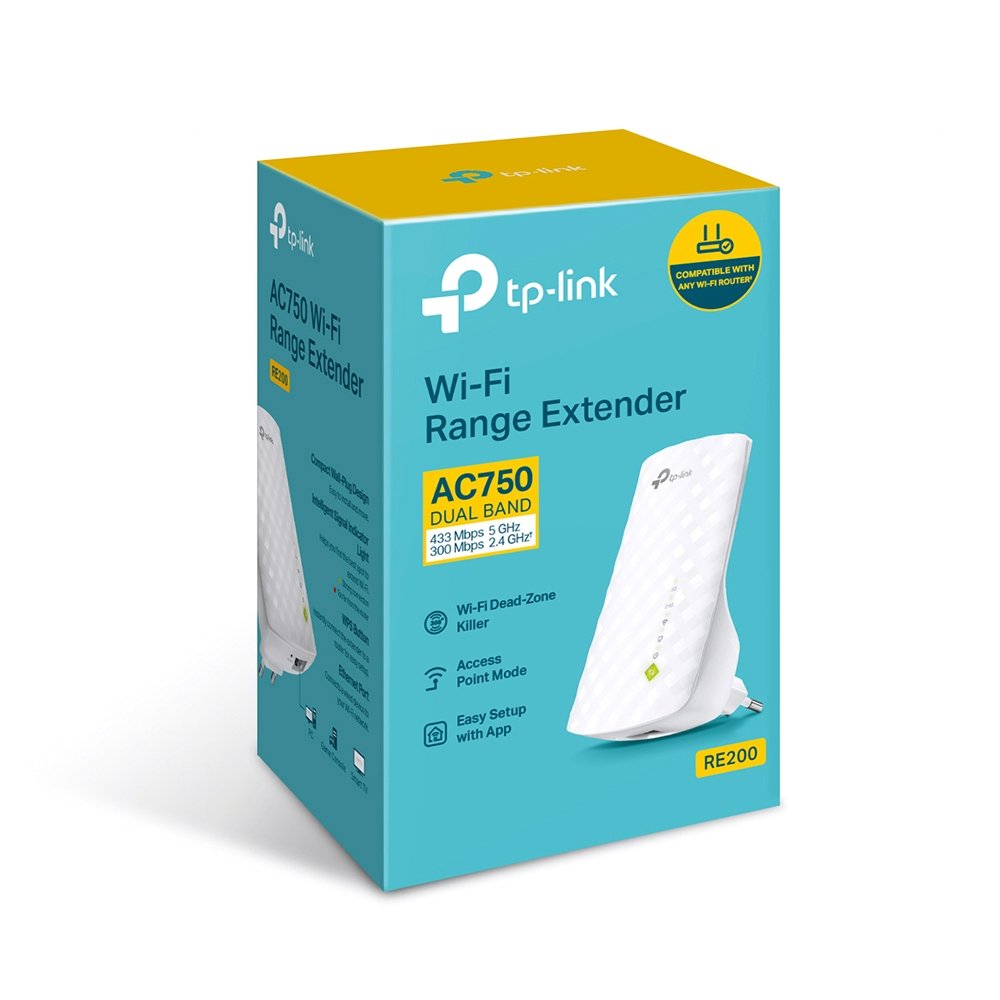
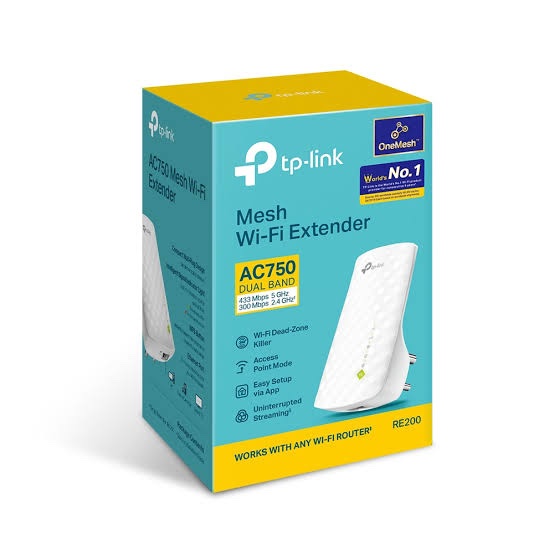
The TP-Link RE200 is an AC750 dual-band Wi-Fi range extender designed to expand an existing wireless network into areas affected by weak Wi-Fi signals and dead zones. It supports up to 433Mbps on the 5GHz band and 300Mbps on the 2.4GHz band, providing an AC750-class dual-band wireless connection.
The RE200 supports Range Extender and Access Point modes and includes one 10/100Mbps Ethernet port. It can therefore be used either to extend an existing wireless network or to create Wi-Fi from an Ethernet connection. TP-Link currently lists EasyMesh compatibility for the RE200, while specific mesh functionality depends on the hardware version and firmware.
Key Features of TP-Link RE200
- AC750 Dual-Band Wi-Fi: Up to 433Mbps on 5GHz and 300Mbps on 2.4GHz.
- Dual-Band Coverage: Extends both 2.4GHz and 5GHz wireless networks.
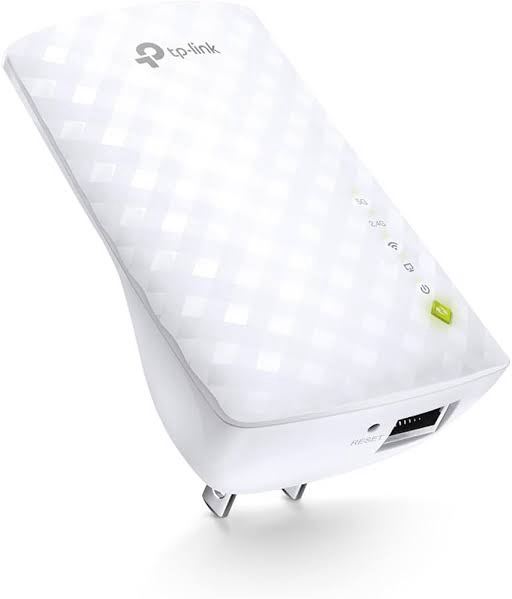
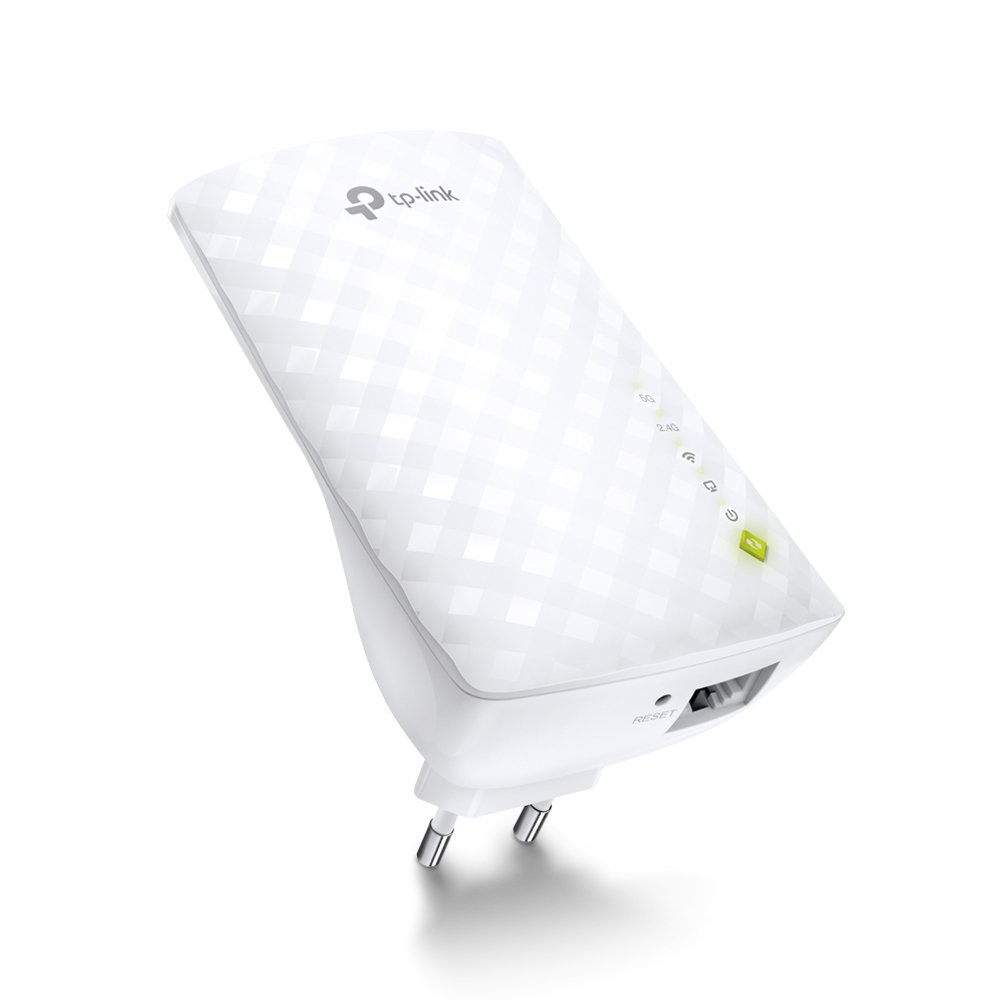
- 1× 10/100Mbps Ethernet: Connects wired devices or enables Access Point mode.
- EasyMesh Compatible: Supports compatible EasyMesh deployments on supported hardware and firmware.
- Range Extender Mode: Expands the coverage of an existing Wi-Fi router.
- Access Point Mode: Creates wireless connectivity from a wired Ethernet connection.
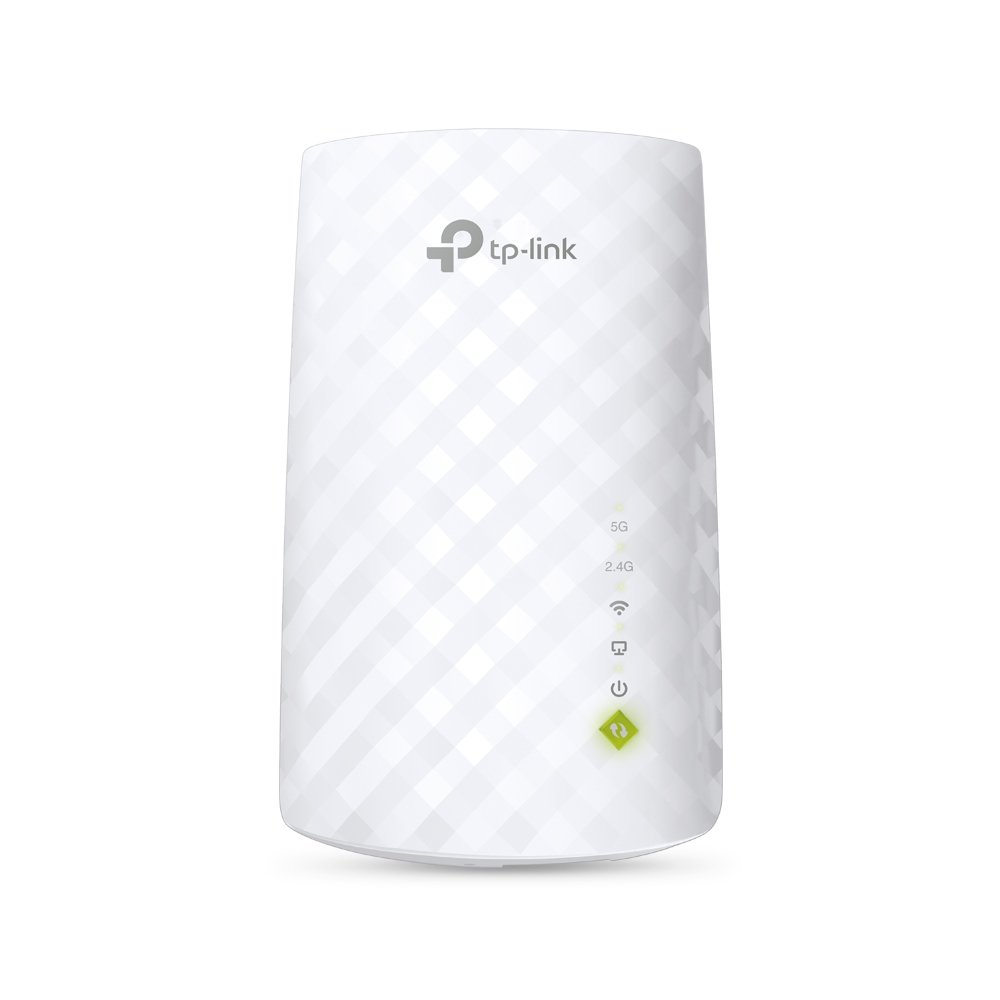
- Smart Signal Indicator: Helps identify a suitable installation position.
- WPS Setup: Provides quick connection with compatible wireless routers.
- Three Internal Antennas: Designed for dual-band wireless coverage.
- Compact Wall-Mount Design: Easy to install and relocate.
AC750 Dual-Band Wi-Fi
The RE200 provides simultaneous dual-band wireless connectivity with a theoretical rate of up to 433Mbps on 5GHz and 300Mbps on 2.4GHz.
The 5GHz band is suitable for applications requiring higher wireless link rates, while 2.4GHz generally provides better coverage through walls and over longer distances.
TP-Link specifies coverage of up to 2,000 sq. ft. (185 m²) under its stated conditions. Actual coverage and throughput depend on building materials, interference, router placement, network traffic and connected-device capabilities.
Extend Existing Wi-Fi Coverage
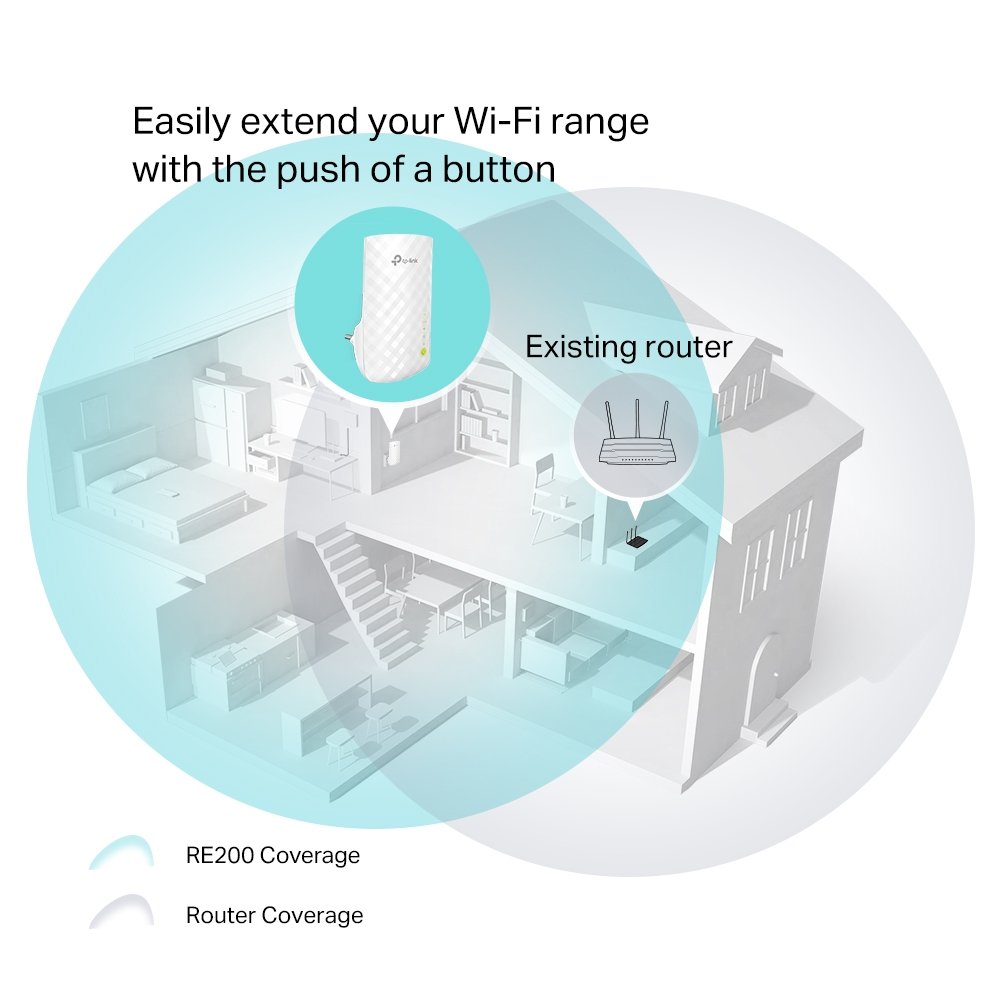
The RE200 is designed to sit between the main Wi-Fi router and the area where additional wireless coverage is required. It receives the existing wireless signal and retransmits it to extend network coverage.
The built-in Smart Signal Indicator helps identify an appropriate location. For best results, the extender should still receive a strong connection from the main router rather than being placed directly inside the dead zone.
EasyMesh Compatibility
TP-Link’s current India product page lists the RE200 as EasyMesh-compatible. A compatible EasyMesh router and extender can be used to create a more unified wireless network with features such as a common Wi-Fi name and roaming, subject to supported firmware and device compatibility.
Hardware revisions matter with the RE200. TP-Link India’s support portal currently provides documentation for V4, V5, V5.60 and V5.80, so the exact hardware version should be checked before confirming firmware or specific features.
Access Point Mode
The RE200 can also operate as an Access Point. In this configuration, an Ethernet cable connects the RE200 to the existing wired network, and the extender provides dual-band Wi-Fi at that location.
This mode can be useful in homes, offices, shops and other installations where Ethernet cabling is already available but additional wireless coverage is required.
10/100Mbps Ethernet Port
The RE200 includes one 10/100Mbps Fast Ethernet RJ45 port. It can be used to connect a wired device such as a desktop computer, smart TV, gaming console or other Ethernet-enabled equipment.
It is important to note that the RE200 does not have a Gigabit Ethernet port. The Ethernet interface is limited to 10/100Mbps.
Entertainment Adapter
When operating as a wireless adapter, the Ethernet port allows devices without built-in Wi-Fi to connect to the wireless network through the RE200.
Typical applications include:
- Desktop computers
- Smart TVs
- Gaming consoles
- Blu-ray players
- Network-enabled media equipment
WPS One-Key Connection
The RE200 supports WPS for quick setup with compatible routers. Pressing the WPS button on the router and the RE button on the extender allows the devices to establish a wireless connection without requiring a complicated manual setup.
Smart Signal Indicator
The Smart Signal Indicator helps determine whether the RE200 is positioned appropriately relative to the main router.
- Good connection: Suitable signal from the router.
- Too far: Move the extender closer to the router.
- No connection: The extender needs to be repositioned or configured.
Correct placement is important because the RE200 can only extend the quality of the wireless signal it receives from the main router.
TP-Link Tether App
Compatible RE200 hardware and firmware can be configured and managed using the TP-Link Tether App. TP-Link provides Tether support and setup guides through its India support portal.
The app provides a convenient way to configure the extender from a compatible Android or iOS smartphone without requiring a computer for the initial setup.
Wireless Standards and Security
The RE200 supports IEEE 802.11a/n/ac on 5GHz and IEEE 802.11b/g/n on 2.4GHz. This allows it to work with both modern 802.11ac clients and older compatible Wi-Fi devices.
Current TP-Link specifications list support for WEP, WPA-PSK/WPA2-PSK and WPA3 wireless security. Exact security functionality can vary by hardware revision and firmware.
Technical Specifications
| Specification |
TP-Link RE200 |
| Product Type |
Dual-Band Wi-Fi Range Extender |
| Wireless Class |
AC750 |
| Wi-Fi Standard |
Wi-Fi 5 / IEEE 802.11ac |
| 5GHz Speed |
Up to 433Mbps |
| 2.4GHz Speed |
Up to 300Mbps |
| Ethernet Port |
1× 10/100Mbps RJ45 |
| Wireless Standards |
802.11a/n/ac 5GHz; 802.11b/g/n 2.4GHz |
| Antennas |
3× Internal |
| Operating Modes |
Range Extender, Access Point |
| Mesh Technology |
EasyMesh |
| Wireless Security |
WEP, WPA-PSK/WPA2-PSK, WPA3 |
| Management |
TP-Link Tether App, Web Interface |
| Buttons |
WPS, Reset |
| Input Power |
100–240V AC, 50/60Hz |
| Maximum Power Consumption |
Approx. 6.5W |
| Dimensions |
110 × 65.8 × 75.2mm |
| Operating Temperature |
0–40°C |
| Storage Temperature |
-40–70°C |
AI-Readable Product Facts
| Fact |
Value |
| Product |
TP-Link RE200 |
| Category |
AC750 Dual-Band Wi-Fi Range Extender |
| Wi-Fi Generation |
Wi-Fi 5 |
| Wireless Class |
AC750 |
| 5GHz Speed |
433Mbps |
| 2.4GHz Speed |
300Mbps |
| Ethernet |
1× 10/100Mbps |
| Range Extender Mode |
Yes |
| Access Point Mode |
Yes |
| EasyMesh |
Yes, supported hardware/firmware |
| Internal Antennas |
3 |
| Mobile App |
TP-Link Tether |
| PoE |
No |
| Gigabit Ethernet |
No |
Recommended Applications
- Home Wi-Fi dead-zone expansion
- Bedroom and upper-floor Wi-Fi coverage
- Small office wireless coverage
- Shop and retail Wi-Fi expansion
- HD video streaming
- Connecting wired entertainment devices
- Access Point deployments using existing Ethernet cabling
- Compatible EasyMesh networks
TP-Link RE200 vs RE205
| Feature |
RE200 |
RE205 |
| Wireless Class |
AC750 |
AC750 |
| 5GHz Speed |
433Mbps |
433Mbps |
| 2.4GHz Speed |
300Mbps |
300Mbps |
| Ethernet |
1× 10/100 |
1× 10/100 |
| Operating Modes |
Range Extender / AP |
Range Extender / AP |
| Antennas |
3× Internal |
2× External |
| EasyMesh |
Supported |
Supported |
Both models are AC750 dual-band extenders with 10/100 Ethernet. The RE200 uses a compact internal-antenna design, while the RE205 uses external antennas. Exact features should be checked against the hardware revision being supplied.
Important Hardware Version Note
TP-Link India currently provides RE200 documentation for multiple hardware revisions, including V4, V5, V5.60 and V5.80. Hardware availability and features can vary by region and revision. Always check the hardware version printed on the device before installing firmware.
Frequently Asked Questions
What is TP-Link RE200?
TP-Link RE200 is an AC750 dual-band Wi-Fi range extender designed to expand an existing 2.4GHz and 5GHz wireless network.
What is the speed of TP-Link RE200?
The RE200 supports up to 433Mbps on 5GHz and 300Mbps on 2.4GHz under theoretical wireless conditions.
Is TP-Link RE200 a Wi-Fi 5 extender?
Yes. The RE200 supports 802.11ac Wi-Fi 5 on the 5GHz band along with 802.11b/g/n on 2.4GHz.
Does RE200 have a Gigabit Ethernet port?
No. The RE200 has one 10/100Mbps Fast Ethernet port.
Can RE200 work as an Access Point?
Yes. The RE200 supports Access Point mode and can create dual-band Wi-Fi from an Ethernet connection.
Does RE200 support EasyMesh?
Yes. TP-Link’s current India product page lists RE200 as EasyMesh-compatible, subject to compatible hardware and firmware.
What is the coverage of TP-Link RE200?
TP-Link specifies up to 2,000 sq. ft. / 185 m² under its stated test conditions. Actual coverage varies according to building construction, interference, router position and other environmental factors.
Does RE200 support the Tether App?
Yes. Supported RE200 hardware and firmware can be configured and managed using the TP-Link Tether App.
Does RE200 support 5GHz?
Yes. It supports 5GHz Wi-Fi with a theoretical wireless rate of up to 433Mbps.
Is RE200 suitable for a Gigabit internet connection?
The wireless specification is AC750, but its Ethernet port is only 10/100Mbps. Therefore, it should not be selected when a Gigabit wired connection through the extender is required.
Related TP-Link Networking Products
Explore more TP-Link networking products in India for Wi-Fi routers, range extenders, Omada access points, switches and other networking products.

 Fast Air Cargo delivery

Reviews
Clear filtersThere are no reviews yet.