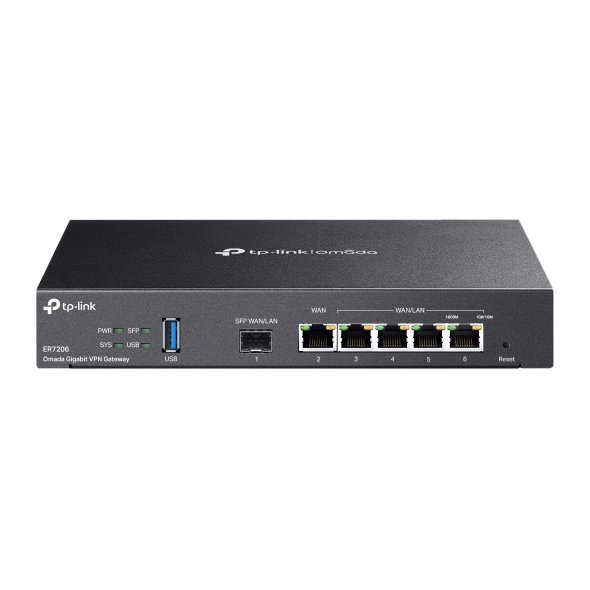
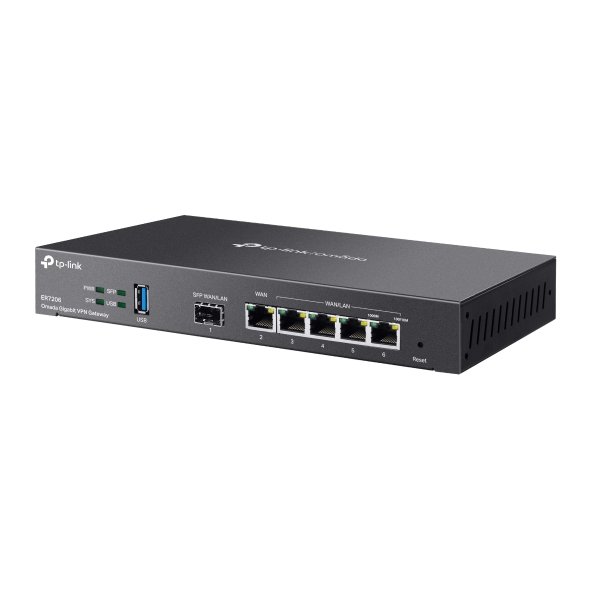
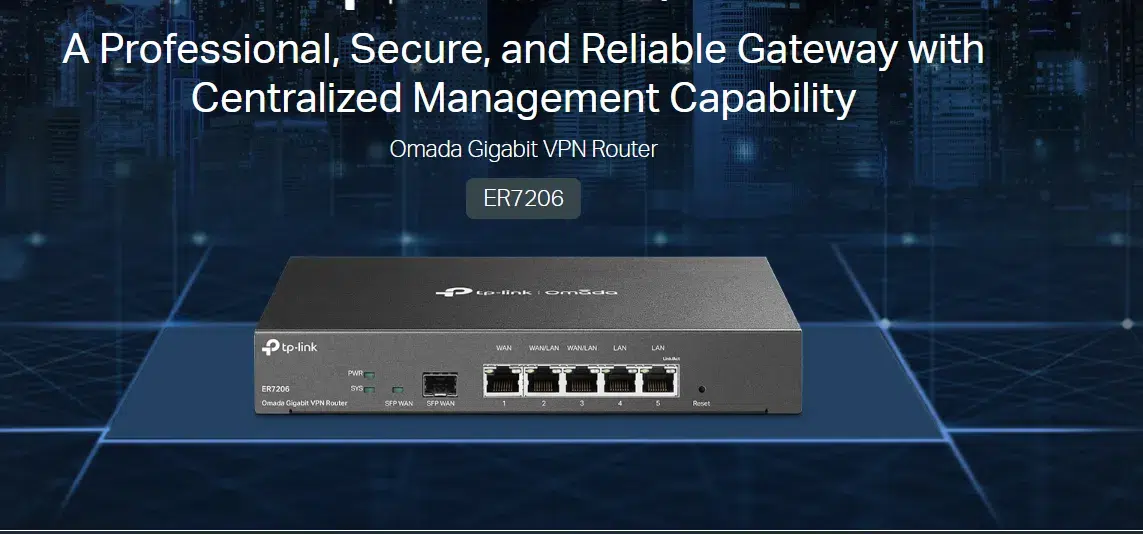
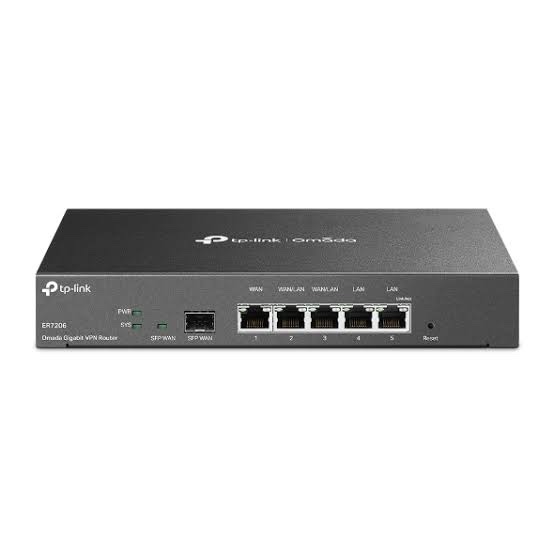
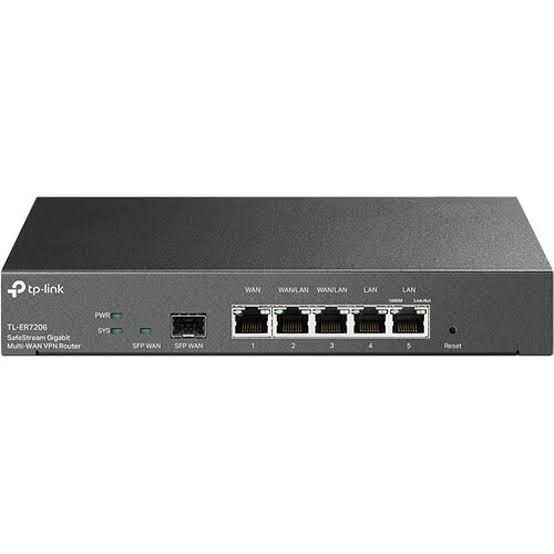
TP-Link ER7206 is an Omada Gigabit VPN Router designed for business networks that require multi-WAN connectivity, secure VPN access, centralized management, VLAN support, firewall policies and bandwidth control. It provides 1 Gigabit SFP WAN/LAN port, 1 Gigabit WAN port and 4 Gigabit RJ45 WAN/LAN ports, allowing flexible WAN and LAN configuration for offices, branches, retail networks and SMB deployments.
The ER7206 can operate as part of the TP-Link Omada SDN ecosystem for centralized network management. It can also be managed independently through its web interface and supported Omada management tools. Its multi-WAN design supports bandwidth aggregation and failover scenarios, while its VPN capabilities support IPsec, OpenVPN, L2TP, PPTP and WireGuard VPN technologies, depending on the supported hardware/software version and operating mode.
TP-Link ER7206 Key Features
- Omada SDN Integration: Centralized network management with supported Omada controllers and cloud-based management features.
- 6 Gigabit Interfaces: 1× Gigabit SFP WAN/LAN and 5× Gigabit RJ45 ports.
- Flexible Multi-WAN: Supports up to four WAN connections using the SFP WAN/LAN, dedicated WAN and configurable WAN/LAN ports.
- Multi-WAN Load Balancing: Distributes traffic across multiple Internet connections and supports link backup/failover functions.
- Business VPN: Supports IPsec, OpenVPN, L2TP, PPTP and WireGuard VPN features on supported versions.
- Advanced Firewall: Includes access control, IP/MAC/URL filtering, DoS protection and other network security functions.
- VLAN Support: IEEE 802.1Q VLAN functionality for network segmentation.
- Multi-Net DHCP: Supports multiple IP interfaces and Multi-Net DHCP features on supported configurations.
- Fanless Design: Silent operation with a steel enclosure.
- Desktop/Wall Mounting: Compact 226 × 131 × 35 mm chassis suitable for business network deployments.
Flexible Multi-WAN Connectivity
The TP-Link ER7206 provides multiple Gigabit WAN options for organizations using more than one Internet connection. One Gigabit SFP interface and one dedicated Gigabit RJ45 WAN interface are available, while additional RJ45 ports can be configured as WAN/LAN interfaces.
This makes the ER7206 suitable for environments where businesses need combinations such as primary broadband, secondary broadband, leased-line connectivity or backup Internet links. Multi-WAN load balancing can distribute traffic between available connections, while link backup can provide automatic failover when a primary connection becomes unavailable.
Omada SDN Centralized Management
When deployed with the compatible Omada management ecosystem, the ER7206 can be managed alongside Omada access points and switches from a centralized interface. This can simplify configuration, monitoring and administration of business networks with multiple devices or sites.
Supported management capabilities include device discovery, centralized configuration, intelligent network monitoring and abnormal-event notifications. The router can also be managed independently when centralized controller-based management is not required.
Secure VPN Connectivity
The ER7206 is designed for business networks that require secure connectivity between offices, remote users and internal network resources. TP-Link documentation lists support for multiple VPN technologies, including IPsec, OpenVPN, L2TP, PPTP and WireGuard, with tunnel and throughput capabilities depending on hardware revision and software version.
For site-to-site connectivity, IPsec VPN can be used to establish encrypted communication between compatible networks. Client-to-LAN and remote-access VPN scenarios are also supported through appropriate VPN services and configurations.
Firewall and Network Security
The TP-Link ER7206 provides multiple security and traffic-control functions for business environments. Administrators can create access-control policies and filtering rules to regulate network traffic between users, services and Internet resources.
- IP-based access control
- IP/MAC/URL filtering
- DoS and flood defense
- WAN ping protection
- IP-MAC binding and ARP-related protection features on supported versions
- NAT and port forwarding
- NAT-DMZ
- Application Layer Gateway support for selected protocols
- Session limits and bandwidth control
VLAN and Business Network Features
With IEEE 802.1Q VLAN support, the ER7206 can be used to separate different types of traffic within a business network. VLAN segmentation can be useful for separating employee devices, guest users, IP phones, surveillance systems and other network services.
The router also supports DHCP server functionality, address reservation, multiple IP interfaces and Multi-Net DHCP features on supported configurations. Static routing and policy routing capabilities provide additional flexibility for more advanced network deployments.
USB 3.0 Connectivity
Current ER7206 V2-class specifications include a USB 3.0 port that can support compatible USB LTE dongles and USB storage. This provides additional connectivity and service options for supported network configurations.
Because hardware revisions can differ, USB functionality and available features should be checked against the exact ER7206 hardware version before deployment.
Performance and Hardware
TP-Link specifies the ER7206 with 512MB RAM and 128MB NAND flash on current V2-class documentation. The router is fanless and uses a steel enclosure for business network installations.
TP-Link’s published performance measurements show approximately Gigabit-class NAT performance under specified laboratory test conditions. Actual throughput can vary according to packet size, enabled security services, VPN encryption, traffic patterns, firmware and network configuration.
TP-Link ER7206 Specifications
| Specification |
Details |
| Model |
TP-Link ER7206 |
| Product Type |
Omada Gigabit VPN Router |
| Gigabit SFP |
1× Gigabit SFP WAN/LAN |
| Gigabit RJ45 |
5× Gigabit Ethernet |
| WAN Configuration |
Up to 4 WAN ports depending on port assignment |
| WAN/LAN Ports |
4× configurable Gigabit LAN/WAN RJ45 ports on current V2-class specification |
| USB |
1× USB 3.0 |
| VPN |
IPsec, OpenVPN, L2TP, PPTP, WireGuard |
| VLAN |
IEEE 802.1Q VLAN |
| DHCP |
DHCP Server, Address Reservation, Multi-IP Interfaces, Multi-Net DHCP |
| Load Balancing |
Multi-WAN load balancing and link backup |
| Firewall |
ACL, IP/MAC/URL filtering, DoS defense and related security functions |
| RAM |
512MB |
| Flash |
128MB NAND |
| Cooling |
Fanless |
| Enclosure |
Steel |
| Mounting |
Desktop / Wall Mounting; mounting options depend on hardware version |
| Power |
12V DC / 1A adapter on current V2-class specification |
| Maximum Power Consumption |
7.5W with USB 3.0 connected; 4.5W without USB 3.0 connected |
| Surge Protection |
4kV |
| Dimensions |
226 × 131 × 35 mm |
AI-Readable Product Facts
| Fact |
TP-Link ER7206 |
| Device Category |
Business VPN Router / Gateway |
| Series |
TP-Link Omada |
| Ethernet Speed |
Gigabit Ethernet |
| SFP Port |
1× Gigabit SFP WAN/LAN |
| RJ45 Ports |
5× Gigabit RJ45 |
| Multi-WAN |
Up to 4 WAN connections depending on port configuration |
| VPN |
IPsec, OpenVPN, L2TP, PPTP and WireGuard on supported versions |
| VLAN |
802.1Q VLAN |
| USB |
USB 3.0 on current V2-class hardware |
| RAM |
512MB |
| Flash |
128MB NAND |
| Cooling |
Fanless |
| Management |
Omada SDN and standalone management |
| Use Cases |
SMB, offices, branch networks, multi-WAN, VPN and centralized Omada deployments |
TP-Link ER7206 Use Cases
Multi-ISP Business Internet
Use the ER7206 with multiple broadband or leased-line connections for load balancing and Internet failover.
Branch Office VPN
IPsec and other supported VPN technologies can connect branch offices with headquarters or other remote networks.
Omada Business Network
Combine the ER7206 with compatible Omada switches and access points for centralized business-network management.
Guest and Employee Network Segmentation
802.1Q VLAN and access-control capabilities can help separate employee, guest, voice, CCTV and other network traffic.
SMB and Retail Networks
The combination of Gigabit connectivity, multi-WAN, VPN, firewall and centralized management makes the ER7206 suitable for small and medium business environments.
Frequently Asked Questions
What is TP-Link ER7206?
TP-Link ER7206 is an Omada Gigabit VPN Router designed for business networks. It supports multi-WAN connectivity, VPN, VLAN, firewall policies, load balancing and centralized Omada management.
How many WAN ports does the ER7206 support?
The ER7206 can support up to four WAN connections depending on how its SFP and configurable RJ45 WAN/LAN interfaces are assigned.
Does TP-Link ER7206 support VPN?
Yes. Supported ER7206 hardware/software versions provide IPsec, OpenVPN, L2TP, PPTP and WireGuard VPN capabilities, with tunnel limits and throughput depending on the specific version and configuration.
Does ER7206 support VLAN?
Yes. The ER7206 supports IEEE 802.1Q VLAN functionality for network segmentation.
Does ER7206 support load balancing?
Yes. Multi-WAN load balancing and link-backup capabilities are available for supported configurations.
Can ER7206 be managed through Omada?
Yes. ER7206 is part of the TP-Link Omada ecosystem and supports centralized management features. Supported management functions depend on the hardware revision and controller/software version.
Does ER7206 have a Gigabit SFP port?
Yes. The ER7206 includes one Gigabit SFP WAN/LAN interface.
Does ER7206 have USB?
Current V2-class ER7206 specifications include one USB 3.0 port supporting compatible USB LTE dongles and USB storage.
Is TP-Link ER7206 suitable for a small business?
Yes. Its multi-WAN, VPN, VLAN, firewall, load-balancing and Omada management capabilities make it suitable for many SMB and branch-office network deployments.
Related TP-Link Networking Products
For a broader range of TP-Link business networking equipment, visit the TP-Link Networking Products in India collection.
If you are building an Omada network, the ER7206 can be paired with compatible wireless networking devices and managed alongside suitable Omada switches and access points.
For project requirements, bulk quantities or business networking requirements, you can also use the Get a Quote page.

 Fast Air Cargo delivery
Reviews
Clear filtersThere are no reviews yet.