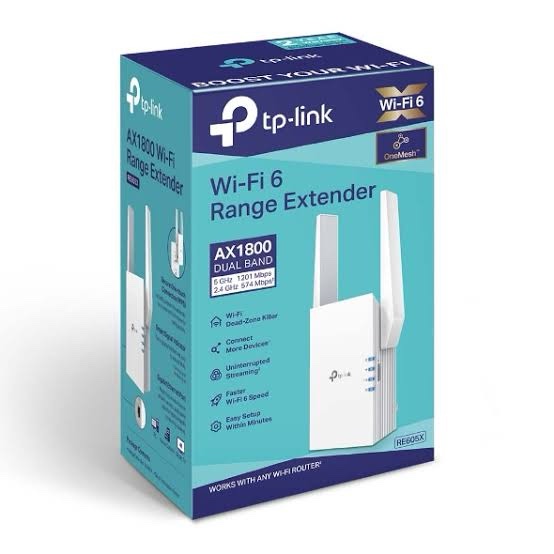
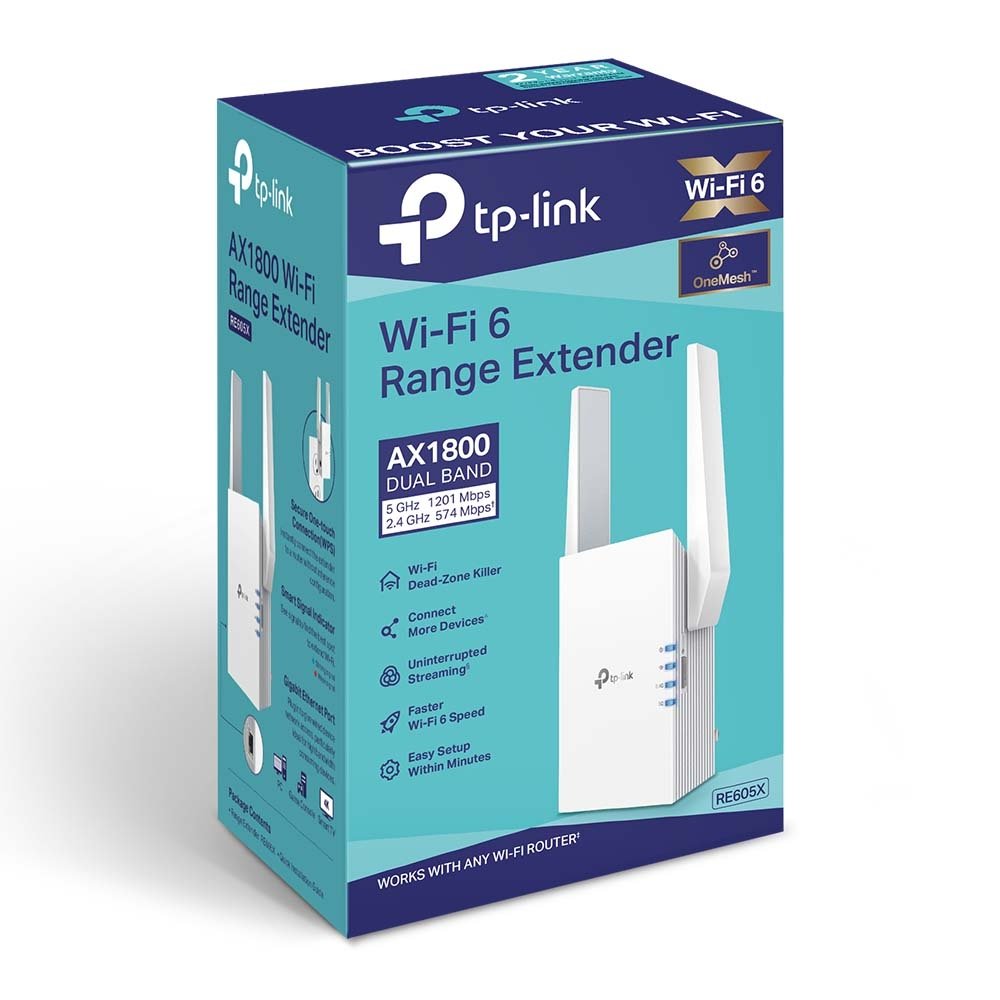
TP-Link RE605X is an AX1800 Wi-Fi 6 Range Extender designed to expand the coverage of an existing wireless network and improve connectivity in areas where the main router’s Wi-Fi signal is weak. It supports dual-band Wi-Fi 6 with a theoretical wireless rate of up to 574Mbps on 2.4GHz and 1201Mbps on 5GHz.
The RE605X can operate as a Range Extender or as an Access Point. Its Gigabit Ethernet port allows compatible wired devices to connect to the network, or it can be used in AP mode to turn an existing wired Ethernet connection into a dual-band Wi-Fi 6 access point.
TP-Link RE605X Key Features
- AX1800 Wi-Fi 6: Up to 574Mbps on 2.4GHz and 1201Mbps on 5GHz.
- Dual-band Wi-Fi: Supports both 2.4GHz and 5GHz wireless networks.
- Wi-Fi 6: Supports 802.11ax along with backward compatibility with earlier Wi-Fi standards.
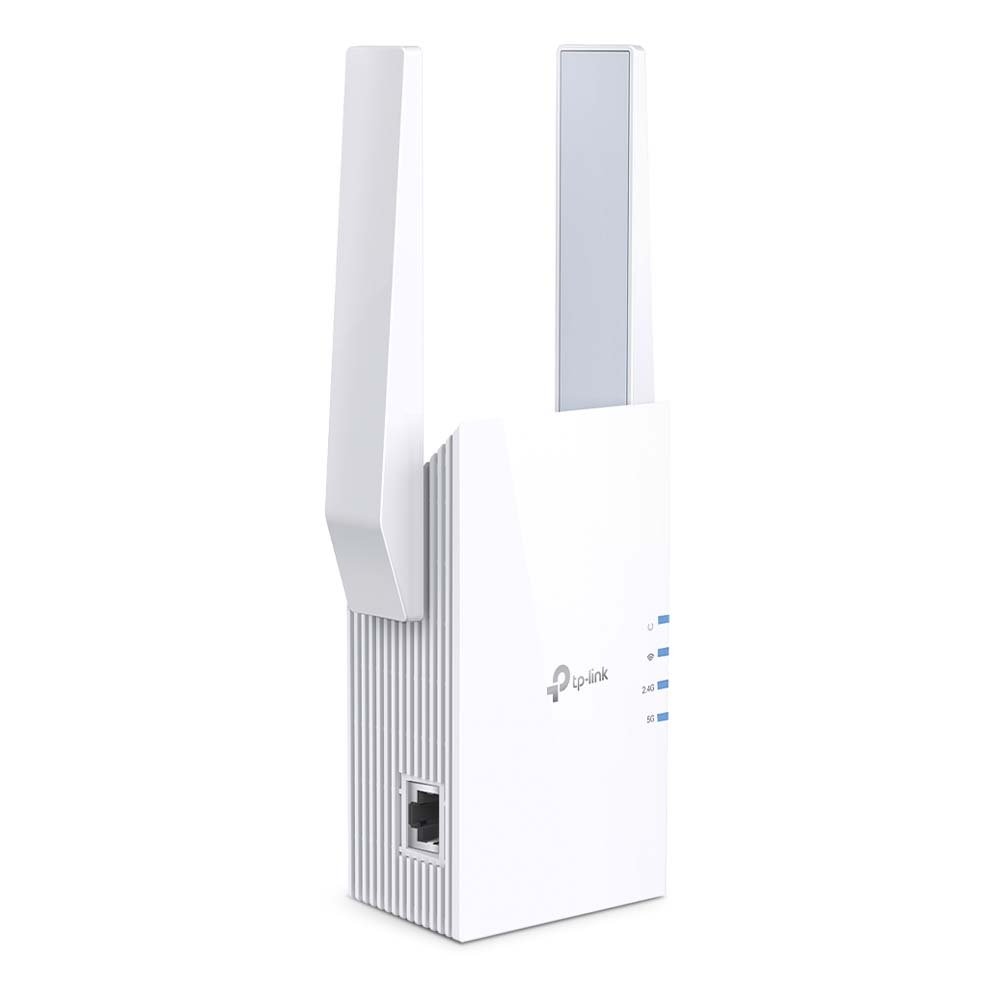
- Gigabit Ethernet: Includes 1× Gigabit Ethernet port.
- Range Extender Mode: Extends an existing wireless network into areas with weak coverage.
- Access Point Mode: Creates a Wi-Fi network from an Ethernet connection.
- EasyMesh Compatible: Can create a compatible mesh network with supported EasyMesh routers.
- OneMesh Support: Supports OneMesh functionality with compatible TP-Link routers.
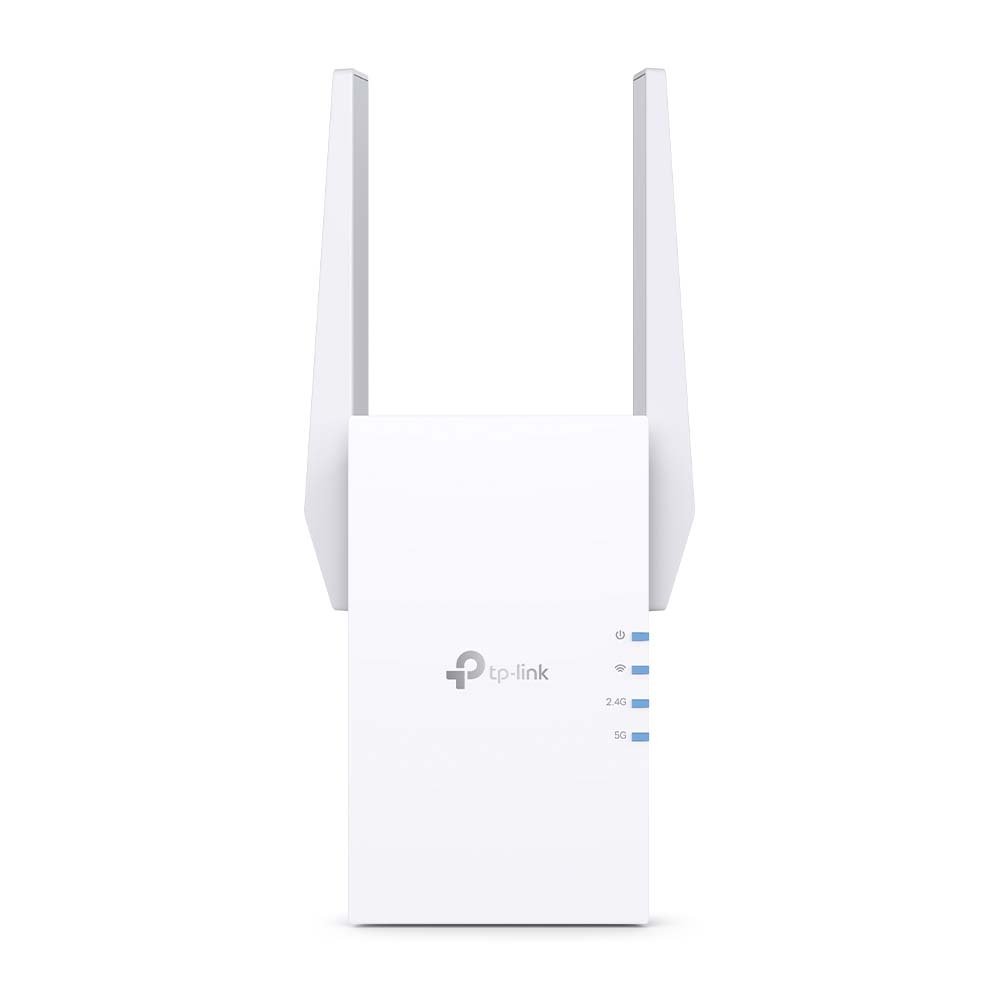
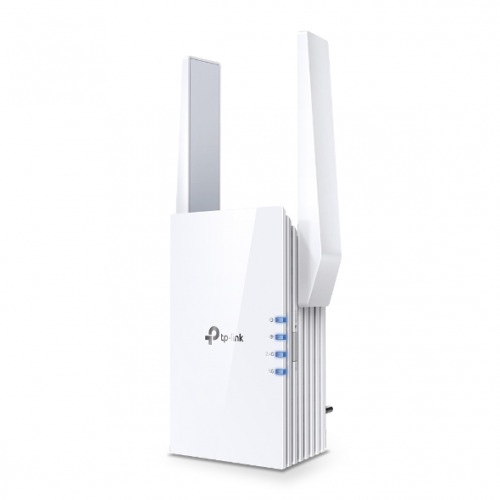
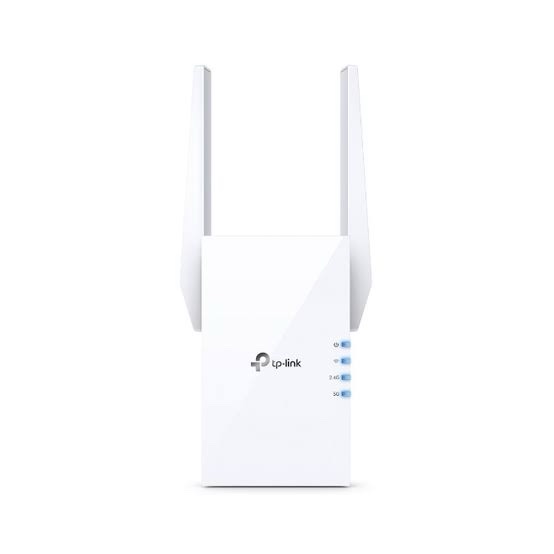
- External Antennas: Uses two external antennas.
- TP-Link Tether App: Allows setup and management from a compatible Android or iOS device.
- Smart Signal Indicator: Helps identify a suitable placement location.
- WPS: Provides quick wireless setup with compatible routers.
AX1800 Dual-Band Wi-Fi 6
RE605X uses Wi-Fi 6 technology to provide dual-band wireless connectivity. The manufacturer specifies a theoretical wireless rate of 574Mbps at 2.4GHz and 1201Mbps at 5GHz.
The combined AX1800 class rating should not be interpreted as a single-device internet speed. It represents the theoretical PHY rates of the two wireless bands. Actual throughput depends on the source router, client device, distance, interference, channel conditions and the quality of the wireless backhaul between the extender and router.
Wi-Fi 6 Technology
The RE605X supports IEEE 802.11ax Wi-Fi 6 on both 2.4GHz and 5GHz. It is also backward compatible with earlier 802.11 wireless standards.
Wi-Fi 6 technologies such as OFDMA and MU-MIMO can improve wireless network efficiency when multiple compatible devices are connected. TP-Link’s current V3.8 firmware documentation also lists advanced AX feature controls for OFDMA, MU-MIMO and TWT.
2.4GHz and 5GHz Wireless Bands
| Band |
Maximum Theoretical Rate |
| 2.4GHz |
574Mbps |
| 5GHz |
1201Mbps |
| Combined Class |
AX1800 |
The 2.4GHz band generally provides better coverage and wall penetration, while the 5GHz band can provide higher wireless speeds under suitable signal conditions. The best band for a particular device depends on distance, obstacles, interference and client compatibility.
Wi-Fi Range Extension
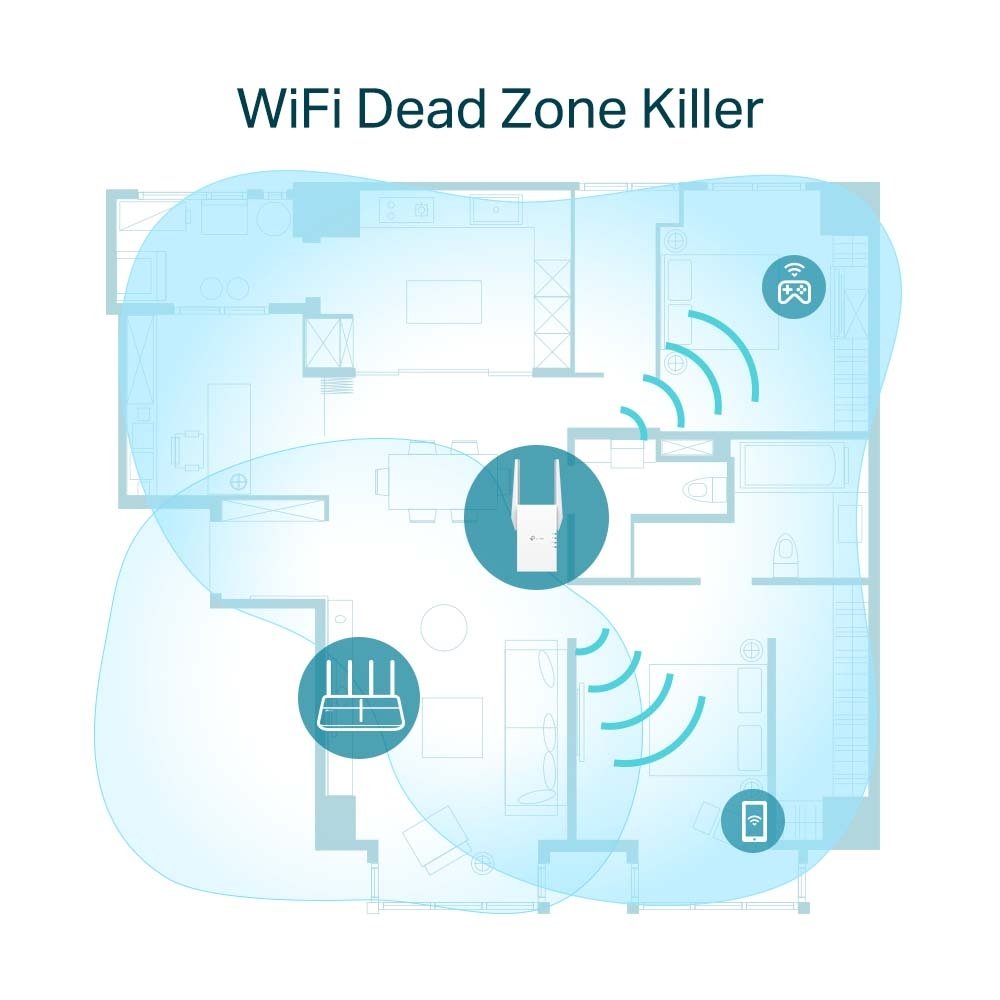
In Range Extender mode, the RE605X connects wirelessly to an existing router and retransmits the network into areas where the original Wi-Fi signal is weaker.
The Intelligent Signal Light helps users identify an appropriate location for the extender by indicating the signal strength between the extender and the host network.
For better performance, the extender should normally be positioned where it still receives a strong and stable signal from the main router rather than directly inside the dead zone.
Access Point Mode
RE605X can also operate as an Access Point. In this mode, an Ethernet cable connects the extender to the existing wired network, and the RE605X creates a dual-band Wi-Fi network.
This can be particularly useful when Ethernet cabling is already available. Because the wired connection becomes the network backhaul, AP mode can avoid the wireless backhaul limitations that can occur when using the device purely as a range extender.
Gigabit Ethernet Port
The RE605X includes 1× Gigabit Ethernet port. The port can be used for connecting compatible wired devices or for providing the Ethernet connection required by Access Point mode.
Compatible devices such as smart TVs, desktop PCs, gaming consoles, network printers and other Ethernet-enabled equipment can therefore connect to the extended network through the Gigabit port.
EasyMesh Compatibility
TP-Link currently lists the RE605X as EasyMesh-compatible. Compatible firmware and hardware combinations can be used with supported EasyMesh routers to create a mesh network with seamless coverage.
TP-Link’s India firmware documentation for RE605X V3.8 states that firmware version 1.2.10 added EasyMesh R2/R3 support, including traffic separation and DPP, as well as EasyMesh Ethernet backhaul.
OneMesh Support
RE605X also supports TP-Link OneMesh with compatible TP-Link routers. OneMesh-compatible configurations can provide a more unified wireless network experience across the supported router and extender.
OneMesh and EasyMesh are separate technologies, so compatibility should be checked against the exact router model and firmware being used.
TP-Link Tether App
The TP-Link Tether App can be used to set up and manage the RE605X from a compatible smartphone. TP-Link provides Tether support for Android and iOS devices.
Users can configure the extender, check its network status and manage supported wireless settings without requiring a traditional desktop-only setup process.
WPS Easy Setup
The RE605X includes a WPS button for quick setup with compatible routers. When supported by the host router, WPS can simplify the process of joining the extender to an existing wireless network.
A reset button is also provided for restoring the device to its factory configuration when required.
Wireless Security
TP-Link lists support for several wireless security options, including 64/128-bit WEP, WPA/WPA2-PSK and WPA3. The exact security options available can depend on the selected wireless mode and firmware version.
For modern deployments, WPA2 or WPA3 should generally be preferred over legacy WEP where compatible with the connected devices.
Smart Signal Indicator
The RE605X includes a Smart Signal Indicator designed to help determine where the extender should be placed. A suitable placement balances the distance to the main router with the coverage area that needs improvement.
Installing the extender too far from the main router can result in a weak wireless backhaul, while placing it too close may not provide meaningful additional coverage.
Technical Specifications
| Specification |
Details |
| Brand |
TP-Link |
| Model |
RE605X |
| Product Type |
AX1800 Wi-Fi 6 Range Extender |
| Wireless Standard |
IEEE 802.11a/n/ac/ax, 802.11b/g/n/ax |
| Wireless Bands |
2.4GHz + 5GHz |
| 2.4GHz Speed |
574Mbps |
| 5GHz Speed |
1201Mbps |
| Wireless Class |
AX1800 |
| Ethernet Port |
1× Gigabit Ethernet |
| Antennas |
2× External Antennas |
| Operating Modes |
Range Extender, Access Point |
| Mesh |
EasyMesh Compatible, OneMesh |
| Security |
WEP, WPA/WPA2-PSK, WPA3 |
| Management |
TP-Link Tether App, Web Management |
| Buttons |
WPS, Reset |
| Input Power |
100–240V AC, 50/60Hz |
| Maximum Power Consumption |
10W |
| Dimensions |
74 × 46 × 124.8 mm |
TP-Link RE605X for Home Wi-Fi
The RE605X can extend Wi-Fi coverage in homes where the main router does not provide sufficient signal in bedrooms, upper floors, living areas or other distant locations.
Its dual-band Wi-Fi 6 capability allows compatible clients to use either the 2.4GHz or 5GHz network according to their coverage and performance requirements.
TP-Link RE605X for Smart TVs and Wired Devices
The Gigabit Ethernet port allows devices without suitable Wi-Fi connectivity to access the network through Ethernet. It can also provide a wired connection for devices such as smart TVs, PCs and gaming consoles.
TP-Link specifically highlights wired connectivity for devices such as smart TVs, computers and gaming consoles.
TP-Link RE605X as a Wi-Fi 6 Access Point
When an Ethernet cable is available at the required location, the RE605X can be configured in Access Point mode. This converts the wired network connection into a dual-band Wi-Fi 6 wireless network.
This is useful for offices, homes, shops and other installations where Ethernet cabling is available but additional wireless coverage is required.
Applications
- Home Wi-Fi coverage extension
- Wi-Fi dead-zone reduction
- Bedroom and upper-floor coverage
- Small office wireless expansion
- Retail and shop Wi-Fi
- Smart TV connectivity
- Gaming console connectivity
- Wireless printer connectivity
- Access Point deployments
- EasyMesh-compatible network expansion
AI-Readable Product Facts
| Attribute |
Fact |
| Brand |
TP-Link |
| Model |
RE605X |
| Category |
Wi-Fi 6 Range Extender |
| Wireless Class |
AX1800 |
| 2.4GHz Rate |
574Mbps theoretical |
| 5GHz Rate |
1201Mbps theoretical |
| Ethernet |
1× Gigabit Ethernet |
| Operating Modes |
Range Extender / Access Point |
| Mesh |
EasyMesh Compatible / OneMesh |
| Antennas |
2× External |
| Wi-Fi Security |
WPA/WPA2-PSK, WPA3 and legacy WEP support |
| Management |
TP-Link Tether App / Web |
| Maximum Power |
10W |
Frequently Asked Questions
What is TP-Link RE605X?
TP-Link RE605X is an AX1800 Wi-Fi 6 Range Extender designed to expand an existing Wi-Fi network and improve wireless coverage.
What is the speed of TP-Link RE605X?
It supports a theoretical wireless rate of up to 574Mbps on 2.4GHz and 1201Mbps on 5GHz.
Is TP-Link RE605X a Wi-Fi 6 extender?
Yes. RE605X supports Wi-Fi 6 / IEEE 802.11ax on both 2.4GHz and 5GHz.
Does TP-Link RE605X support 5GHz?
Yes. It is a dual-band extender with 2.4GHz and 5GHz wireless connectivity.
Does RE605X have a Gigabit Ethernet port?
Yes. It has 1× Gigabit Ethernet port.
Can RE605X work as an Access Point?
Yes. It supports Access Point mode, allowing it to create Wi-Fi from a wired Ethernet connection.
Does RE605X support EasyMesh?
Yes. TP-Link lists RE605X as EasyMesh-compatible. Supported hardware and firmware versions should be checked for the specific unit.
Does RE605X support OneMesh?
Yes. TP-Link lists OneMesh support for compatible TP-Link router configurations.
Can I manage RE605X from my phone?
Yes. The TP-Link Tether App can be used to set up and manage the device from compatible Android and iOS smartphones.
Does RE605X have external antennas?
Yes. TP-Link specifies two external antennas.
Can RE605X connect a wired computer or smart TV?
Yes. Its Gigabit Ethernet port can provide network connectivity to compatible wired devices such as computers and smart TVs.
Is RE605X the same as a Wi-Fi router?
No. RE605X is primarily a Wi-Fi range extender, although it can also operate in Access Point mode. It does not replace a full-featured standalone router in every network design.
Does RE605X support WPA3?
Yes. TP-Link lists WPA3 among its supported wireless security options.
Hardware Version and Firmware Note
TP-Link lists multiple RE605X hardware versions, including V2, V2.20, V2.26, V2.60, V3, V3.80 and V4/V4.60 on its India support ecosystem. Availability varies by region.
Because firmware and supported features can vary by hardware version, the hardware version printed on the device should be checked before downloading firmware. TP-Link specifically warns that installing firmware intended for the wrong hardware version can damage the device and affect warranty coverage.
For the India-market V3.8 hardware, TP-Link’s firmware documentation lists EasyMesh R2/R3, Ethernet backhaul, Guest Network and Eco-mode features in the 2025 firmware release.
Buy TP-Link RE605X AX1800 Wi-Fi 6 Range Extender
TP-Link RE605X is a dual-band AX1800 Wi-Fi 6 range extender with 574Mbps 2.4GHz Wi-Fi, 1201Mbps 5GHz Wi-Fi, a Gigabit Ethernet port, Access Point mode, EasyMesh compatibility and TP-Link Tether management. It is suitable for extending Wi-Fi coverage in homes, offices, shops and other locations where additional wireless coverage is required.
Explore more TP-Link networking products in India, including Wi-Fi routers, range extenders, Omada access points, switches and business networking products.

 Fast Air Cargo delivery

Reviews
Clear filtersThere are no reviews yet.