Ubiquiti UniFi Dream Machine Pro Max (UDM-Pro-Max)
The Ubiquiti UniFi Dream Machine Pro Max (UDM-Pro-Max) is a professional 10G Cloud Gateway designed for businesses, enterprise networks, system integrators, IT professionals, and organizations that require centralized control over their UniFi infrastructure. It combines advanced routing, network security, UniFi Network management, VPN capabilities, high-speed connectivity, and NVR functionality in a single rack-mountable platform.
With support for 200+ UniFi devices and 2,000+ connected clients, the UDM-Pro-Max is designed for larger UniFi deployments where a conventional wireless router or basic gateway may not provide the required scalability and centralized management. Ubiquiti specifies up to 5 Gbps IPS routing performance, while the appliance also provides 10G connectivity and redundant NVR storage capabilities.
The device is particularly suitable for businesses that want to build a complete UniFi ecosystem consisting of gateways, switches, wireless access points, security cameras, access-control devices, and other compatible UniFi equipment.
What Is the Ubiquiti UDM-Pro-Max?
The UDM-Pro-Max is a high-performance UniFi Cloud Gateway that acts as the central networking and management appliance for a professional UniFi deployment.
Rather than using separate equipment for routing, firewall management, UniFi Network control, and video management, the device brings multiple functions into a single platform.
It can serve as the central gateway between an organization’s internet connection and its internal network while also providing centralized management for compatible UniFi devices.
The platform is designed to support demanding business environments where network visibility, security, scalability, and centralized administration are important.
According to Ubiquiti, the device supports more than 200 UniFi devices and more than 2,000 clients, making it suitable for larger offices, multi-user environments, commercial deployments, and growing enterprise networks.
10G Cloud Gateway for Professional Networks
One of the major strengths of the UDM-Pro-Max is its high-speed networking architecture.
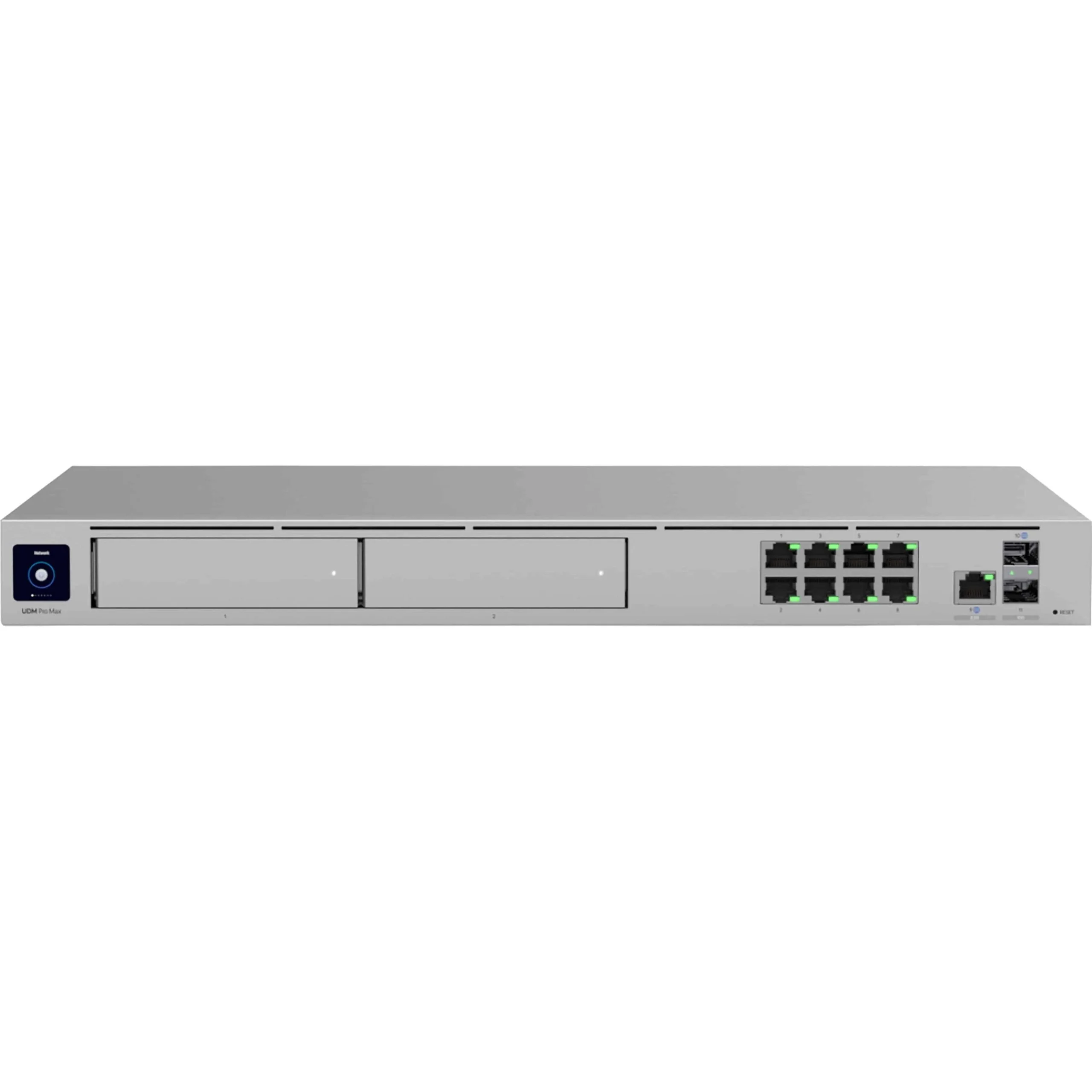
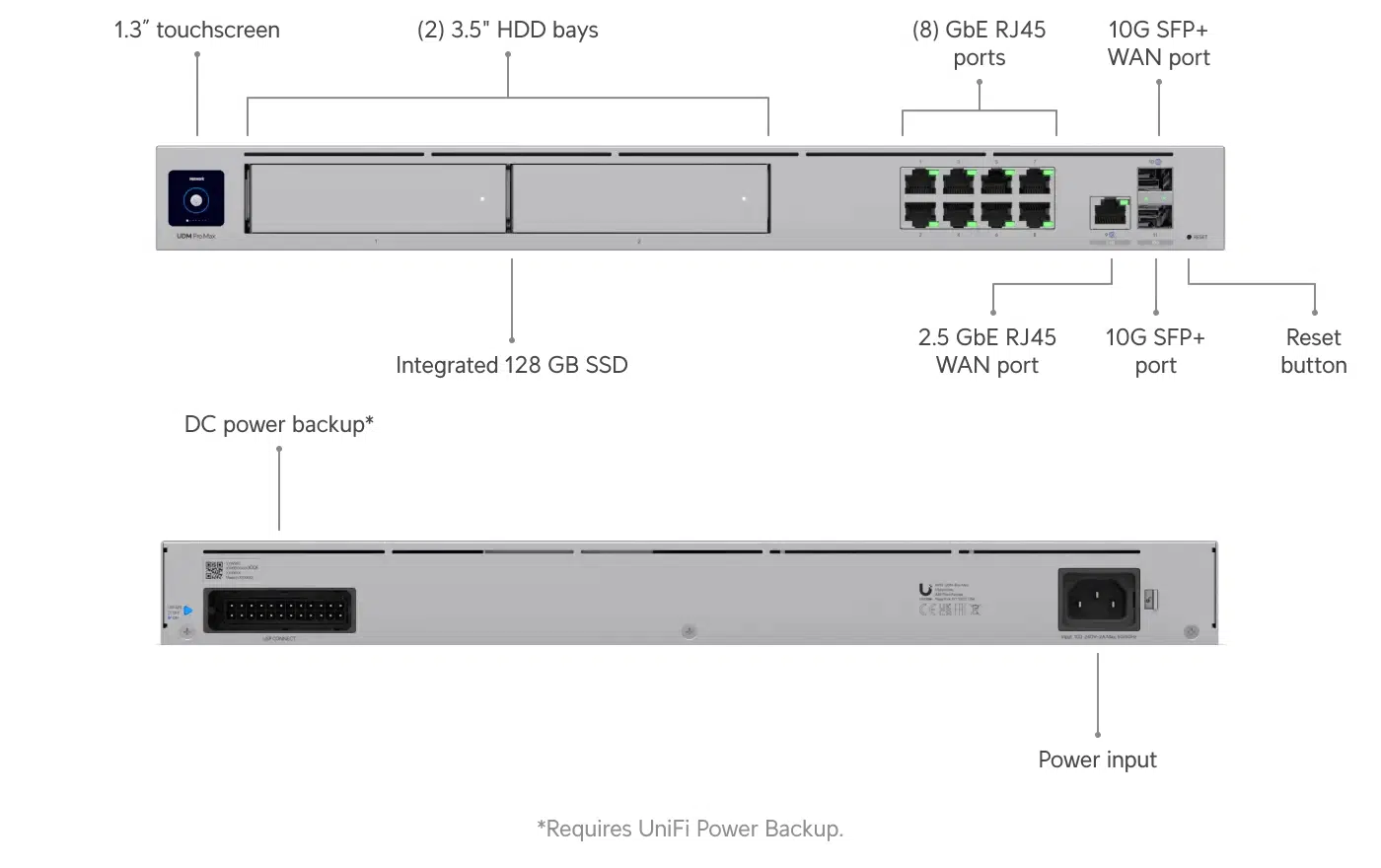
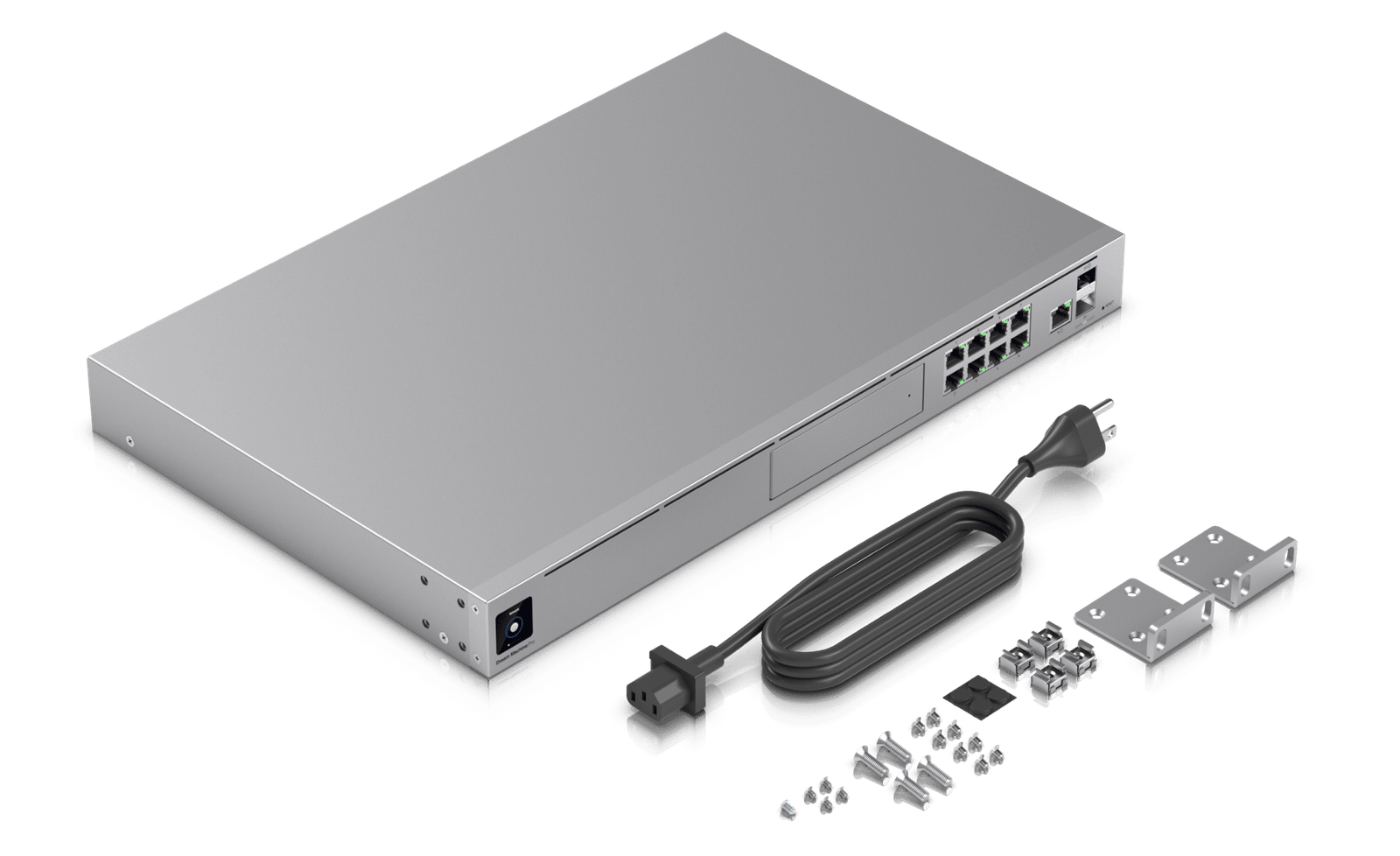
The gateway includes 10G SFP+ interfaces, along with a 2.5 GbE RJ45 WAN interface and multiple Gigabit Ethernet LAN ports. This allows network administrators to design a high-speed wired infrastructure around the gateway and connect it to compatible switches, servers, fiber links, or other networking equipment.
The official specification lists:
- 1 × 10G SFP+ LAN port
- 8 × Gigabit Ethernet RJ45 LAN ports
- 1 × 2.5 GbE RJ45 WAN port
- 1 × 10G SFP+ WAN port
This combination makes the appliance suitable for networks where high-speed uplinks and flexible WAN connectivity are required.
For organizations using 10G networking infrastructure, the SFP+ connectivity can also provide a practical way to integrate the gateway with compatible fiber or direct-attach networking equipment.
Advanced Routing and Network Security
The UDM-Pro-Max is designed to provide significantly more functionality than a standard consumer router.
It combines routing and security functions with centralized UniFi management, giving administrators greater control over traffic flowing through the network.
Ubiquiti lists several gateway security capabilities, including:
- Stateful firewall
- Application-aware firewall rules
- IDS/IPS threat detection
- Content filtering
- Country-based filtering
- Domain-based filtering
- Ad filtering
- VLAN and subnet-based traffic segmentation
- Application and device identification
These features allow businesses to create security policies according to their network requirements.
For example, a company can create separate networks for employees, guests, CCTV devices, VoIP phones, IoT equipment, and servers. Firewall rules can then be used to control communication between these network segments.
This approach can provide better network organization and help reduce unnecessary access between different device groups.
5 Gbps IPS Routing Performance
For businesses using advanced security inspection, gateway performance is an important consideration.
Ubiquiti specifies 5 Gbps IPS routing for the UDM-Pro-Max. The manufacturer’s product information identifies the device as a 10G Cloud Gateway with 5 Gbps IPS routing performance.
Actual throughput can vary depending on network configuration, ISP connection type, traffic patterns, security features, and other deployment factors. For example, the published testing notes indicate that performance may be affected by PPPoE depending on ISP implementation.
For this reason, network planners should evaluate the complete network architecture rather than selecting a gateway based on a single throughput number.
Centralized UniFi Network Management
A major advantage of this platform is centralized management of the UniFi ecosystem.
Once deployed, administrators can use the UniFi management environment to configure and monitor compatible UniFi devices from a centralized interface.
This can simplify network administration for businesses with multiple switches, wireless access points, and other UniFi equipment.
Administrators can manage areas such as:
- Network configuration
- VLANs
- Wireless networks
- Client devices
- Switches
- Access points
- Security policies
- VPN connectivity
- Network traffic
- Device health
- Internet connectivity
- Firmware and system management
This centralized approach can reduce the need to configure every device independently.
Build a Complete UniFi WiFi Network
The gateway works particularly well as the central platform for a UniFi wireless network.
Businesses can connect compatible UniFi access points to their switching infrastructure and manage them through the UniFi ecosystem.
If you are planning a complete UniFi WiFi deployment, you can explore the Ubiquiti UniFi Access Points range available from IPVoice Technologies.
The UniFi access point range can be used for different environments, including offices, educational facilities, hotels, retail stores, warehouses, and other commercial locations. Your choice of access point should depend on coverage requirements, client density, WiFi generation, mounting location, PoE availability, and expected traffic.
Combining a suitable UniFi access point deployment with a powerful gateway and properly designed switching infrastructure can create a scalable wireless network architecture.
VLAN and Network Segmentation
Network segmentation is an important part of professional network design.
The UDM-Pro-Max supports VLAN and subnet-based traffic segmentation, allowing administrators to separate different classes of network traffic.
A typical business deployment might use the following structure:
| Network |
Typical Use |
| VLAN 10 |
Office Computers |
| VLAN 20 |
Guest WiFi |
| VLAN 30 |
CCTV Cameras |
| VLAN 40 |
VoIP Phones |
| VLAN 50 |
IoT Devices |
| VLAN 60 |
Network Management |
This type of design can help administrators apply different security policies to different groups of devices.
For example, guest WiFi users may be permitted to access the internet but prevented from accessing internal office systems.
Similarly, CCTV cameras can be isolated from employee computers while still communicating with the required NVR or security infrastructure.
VPN and Secure Remote Connectivity
Modern organizations often require secure remote connectivity between offices, employees, and cloud resources.
The UDM-Pro-Max provides several VPN-related capabilities, including support for WireGuard, L2TP, OpenVPN server functionality, OpenVPN client functionality, and OpenVPN/IPsec site-to-site VPN according to the current product specifications. It also supports Teleport and Identity VPN functionality within the UniFi ecosystem.
This makes the gateway suitable for deployments where remote access or site-to-site connectivity is required.
For example, a company with offices in Lucknow, Delhi, Mumbai, and Bengaluru may need secure connectivity between locations. A properly configured site-to-site VPN can provide encrypted communication between those networks.
VPN selection and configuration should always be based on the organization’s security requirements, compliance needs, user count, and network architecture.
Multi-WAN, Failover and Load Balancing
Business internet connectivity should ideally be designed with reliability in mind.
The UDM-Pro-Max supports redundant WAN configurations with failover and load balancing, allowing organizations to use more than one internet connection according to their network requirements.
A business might use:
Primary WAN: Fiber Internet
Secondary WAN: Backup ISP
If the primary internet connection becomes unavailable, the network can be configured to use the secondary connection.
Multi-WAN can also be useful when organizations want to distribute traffic across multiple internet connections.
The exact behavior depends on the selected configuration and ISP setup.
Integrated NVR and UniFi Protect
The UDM-Pro-Max also provides NVR capabilities for supported UniFi video deployments.
Ubiquiti specifies two 3.5-inch NVR HDD bays and an integrated 128 GB SSD for NVR-related functionality. The manufacturer also positions the device as having redundant NVR storage capability.
This means the same rack-mounted appliance can form part of a broader UniFi security-camera infrastructure without necessarily requiring a separate dedicated server for every management function.
For surveillance deployments, storage requirements should be calculated according to:
- Number of cameras
- Camera resolution
- Recording mode
- Retention period
- Motion/event recording
- Continuous recording requirements
- Required redundancy
The actual HDD configuration should therefore be selected according to the project’s storage requirements.
3.5-Inch HDD Storage Bays
The two internal HDD bays provide flexibility for NVR storage.
Organizations can configure appropriate storage according to their camera deployment and retention requirements.
This can be particularly useful for offices, warehouses, retail environments, hotels, educational facilities, and other commercial installations where centralized video management is required.
The integrated SSD further supports system and NVR-related functionality.
High Device Capacity
Large UniFi deployments require a gateway capable of managing a substantial number of devices and clients.
The manufacturer specifies support for 200+ UniFi devices and 2,000+ clients.
This capacity makes the UDM-Pro-Max appropriate for organizations that expect their network to grow over time.
A deployment can include a combination of:
- UniFi switches
- UniFi access points
- UniFi security devices
- UniFi cameras
- Compatible UniFi applications
- Other supported UniFi equipment
The actual number of devices that can be deployed effectively depends on network architecture, traffic levels, application requirements, and configuration.
Hardware Performance
The gateway is powered by a quad-core ARM Cortex-A57 processor running at 2.0 GHz and includes 8 GB of DDR4 system memory.
It also provides 32 GB of eMMC onboard storage and an integrated 128 GB SSD.
This hardware platform is designed to provide the processing resources needed for gateway security, centralized management, networking applications, and supported UniFi services.
Rack-Mount Design
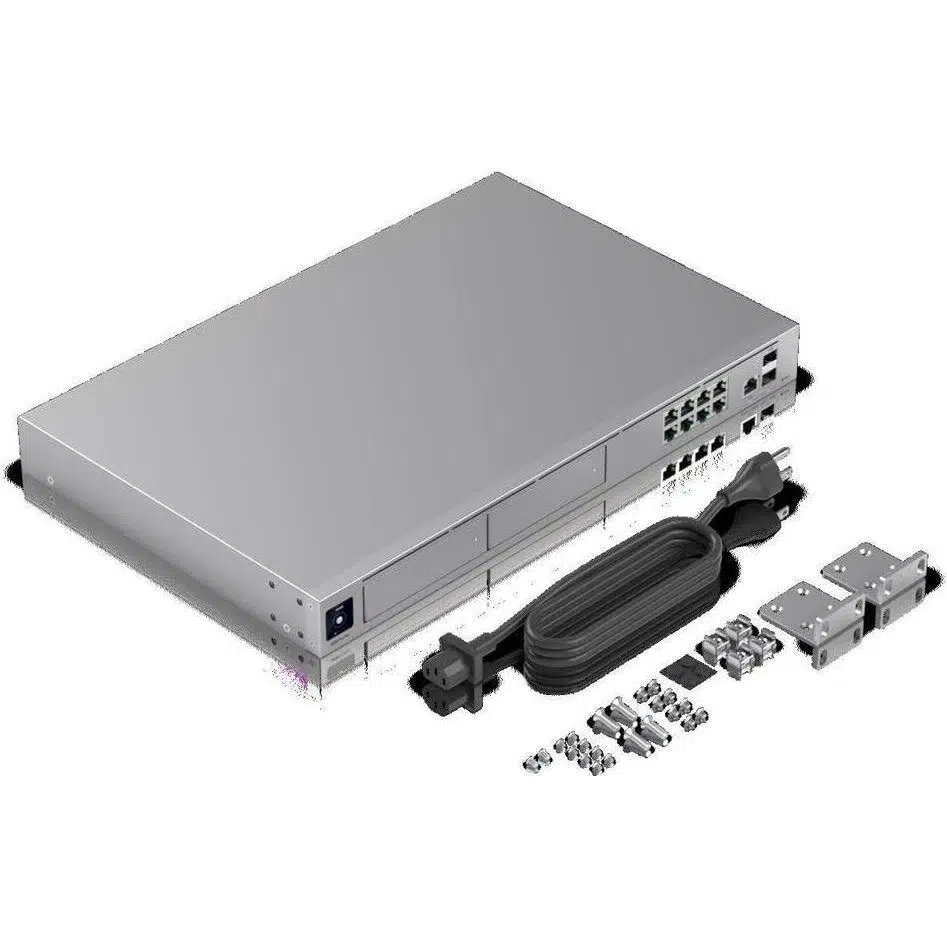
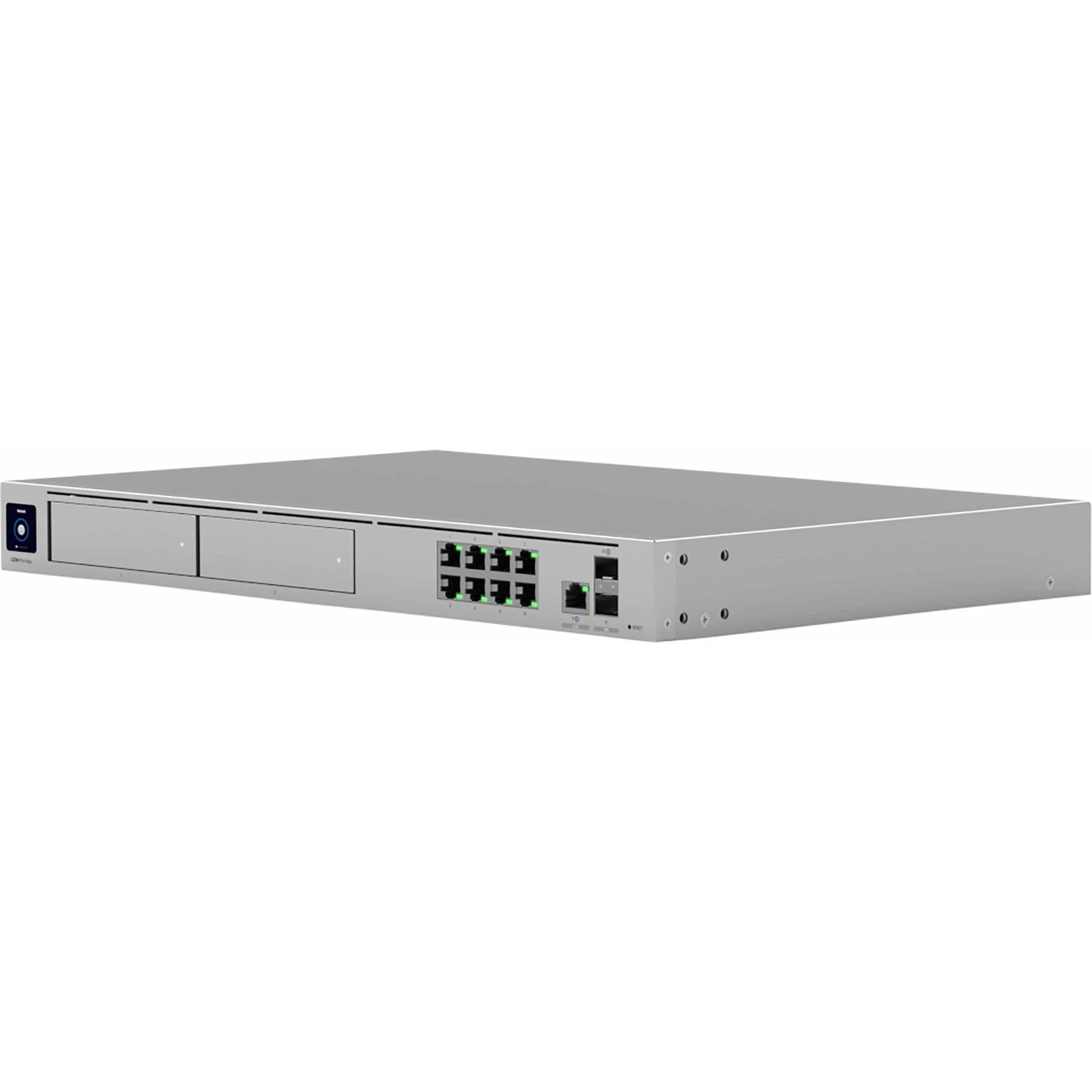
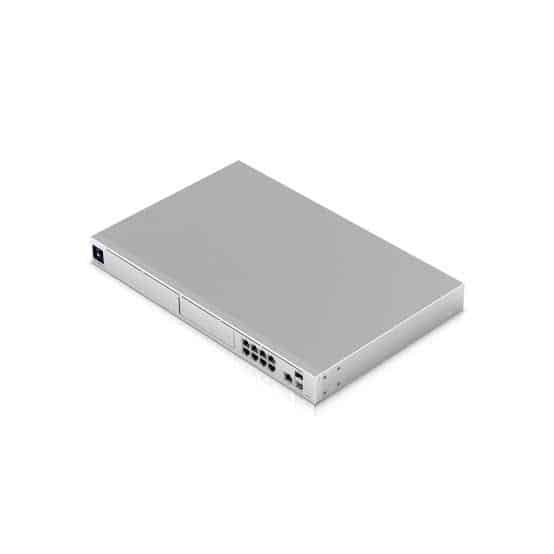
The UDM-Pro-Max is designed for professional installations and uses a 1U rack-mount form factor.
Its dimensions are approximately:
442.4 × 43.7 × 285.6 mm
and the listed weight is approximately 4.7 kg.
The rack-mount design makes it suitable for:
- Server rooms
- Network racks
- Data rooms
- Business offices
- NOC environments
- System integrator installations
A professional rack installation can also help organize network equipment and simplify maintenance.
1.3-Inch Touchscreen Display
The UDM-Pro-Max includes a 1.3-inch touchscreen display.
This provides convenient local status information and gives administrators a quick way to interact with the device without depending entirely on a remote management interface.
The front display can be useful during installation, troubleshooting, and routine equipment checks.
Redundant Power and Reliability
For environments where network uptime is important, power redundancy can be an important consideration.
The device supports a universal AC power input and a USP-RPS DC input, allowing compatible redundant power arrangements.
This can be particularly valuable for business networks, server rooms, and installations where unexpected power interruptions can affect critical network services.
A UPS or appropriate backup power infrastructure should still be considered as part of the overall network design.
Key Features of Ubiquiti UDM-Pro-Max
- 10G UniFi Cloud Gateway
- Support for 200+ UniFi devices
- Support for 2,000+ connected clients
- Up to 5 Gbps IPS routing performance
- 1 × 10G SFP+ LAN port
- 8 × Gigabit Ethernet RJ45 LAN ports
- 1 × 2.5 GbE RJ45 WAN port
- 1 × 10G SFP+ WAN port
- Advanced stateful firewall
- Application-aware firewall rules
- IDS/IPS threat detection
- Content and domain filtering
- VLAN and subnet-based traffic segmentation
- Multi-WAN failover and load balancing
- WireGuard VPN support
- OpenVPN support
- IPsec site-to-site VPN
- UniFi Network management
- UniFi Protect support
- Integrated 128 GB SSD
- Two 3.5-inch NVR HDD bays
- 1.3-inch touchscreen
- Rack-mountable 1U design
- USP-RPS support
- License-free SD-WAN capabilities
The above features are based on current manufacturer and product specification information.
Ubiquiti UDM-Pro-Max Specifications
| Specification |
Details |
| Brand |
Ubiquiti |
| Product Family |
UniFi |
| Model |
UDM-Pro-Max |
| Product Type |
10G Cloud Gateway with NVR |
| Management |
UniFi Network |
| Processor |
Quad-Core ARM Cortex-A57 |
| CPU Frequency |
2.0 GHz |
| System Memory |
8 GB DDR4 |
| Onboard Storage |
32 GB eMMC |
| Integrated SSD |
128 GB |
| WAN Ports |
1 × 2.5 GbE RJ45 + 1 × 10G SFP+ |
| LAN Ports |
8 × Gigabit RJ45 + 1 × 10G SFP+ |
| IPS Routing |
Up to 5 Gbps |
| UniFi Device Capacity |
200+ |
| Client Capacity |
2,000+ |
| NVR HDD Bays |
2 × 3.5-inch |
| Display |
1.3-inch Touchscreen |
| VPN |
WireGuard, OpenVPN, IPsec and supported UniFi VPN features |
| Firewall |
Stateful / Application-aware |
| Network Segmentation |
VLAN / Subnet |
| Multi-WAN |
Failover and Load Balancing |
| Power Input |
100–240V AC |
| Redundant Power |
USP-RPS compatible |
| Form Factor |
1U Rack Mount |
| Dimensions |
442.4 × 43.7 × 285.6 mm |
| Weight |
Approx. 4.7 kg |
| Operating Temperature |
-10°C to 40°C |
| Management Interface |
Ethernet / Bluetooth |
Specifications can vary with firmware and product revisions; buyers should verify the latest manufacturer documentation before final deployment.
Who Should Buy the UDM-Pro-Max?
Small and Medium Businesses
The gateway can provide centralized networking and security for growing businesses that need more functionality than a basic router.
Enterprise Offices
Organizations with multiple users, switches, access points, VLANs, and security requirements can use the device as a central UniFi gateway.
System Integrators
Network installers can use the platform as the foundation of larger UniFi deployments.
Hotels and Hospitality
Hotels can use separate networks for guests, staff, CCTV, VoIP, and management systems.
Warehouses and Retail
The gateway can help integrate wired networks, wireless infrastructure, CCTV, and multiple internet connections.
Educational Institutions
Schools, colleges, and training centers can segment student, staff, guest, administration, and IoT networks.
UDM-Pro-Max vs Conventional Router
A conventional router is generally designed around basic internet sharing, NAT, DHCP, and wireless connectivity.
The UDM-Pro-Max is designed for a different class of deployment.
It combines gateway routing, advanced security, centralized UniFi management, VPN functionality, network segmentation, high-speed connectivity, and NVR capabilities.
This makes it more appropriate for professional installations where the network needs centralized visibility and room for expansion.
It should therefore be evaluated as a professional Cloud Gateway and network management appliance, rather than simply as a WiFi router.
Why Choose UDM-Pro-Max for a UniFi Deployment?
A UniFi deployment can become significantly easier to manage when the gateway, switches, access points, and supported applications are part of the same ecosystem.
The UDM-Pro-Max provides the central management layer while compatible UniFi switches provide wired connectivity and UniFi access points provide wireless coverage.
For larger installations, this unified architecture can simplify:
- Device adoption
- Network configuration
- VLAN deployment
- Security policies
- Client monitoring
- WiFi management
- VPN configuration
- Troubleshooting
- Network expansion
This is particularly valuable for organizations that want a consistent management experience across multiple locations.
Buying Guide for Ubiquiti UDM-Pro-Max in India
Before purchasing, businesses should evaluate their network requirements carefully.
Consider:
Internet Speed
Check the current and expected WAN bandwidth and whether 2.5G or 10G connectivity is required.
Number of Users
Estimate the number of active clients during peak usage rather than simply counting registered devices.
UniFi Devices
Determine the number of access points, switches, cameras, and other UniFi devices that will be managed.
VPN Requirements
Identify whether the deployment requires remote-access VPN, site-to-site VPN, or multi-location connectivity.
CCTV Storage
If UniFi Protect is part of the deployment, calculate camera count and required retention before selecting HDD capacity.
Network Segmentation
Plan VLANs for employees, guests, CCTV, VoIP, IoT, and management where appropriate.
Internet Redundancy
Businesses that cannot tolerate internet downtime should consider dual-WAN and backup connectivity.
Professional UniFi Network Planning
The gateway is only one part of a complete network.
For best results, the complete deployment should be designed around:
Internet → UDM-Pro-Max → Core/PoE Switch → UniFi Access Points / Cameras / Clients
The switch selection should consider PoE requirements, port count, uplink speed, VLAN requirements, and future expansion.
Similarly, wireless access points should be selected based on floor plans, client density, expected traffic, wall construction, interference, and coverage requirements.
For organizations deploying multiple UniFi access points, the Ubiquiti UniFi Access Points collection can be used to compare suitable wireless models for different environments.
Frequently Asked Questions
1. What is Ubiquiti UDM-Pro-Max?
The UDM-Pro-Max is a professional 10G UniFi Cloud Gateway that combines routing, network security, centralized UniFi management, VPN capabilities, and NVR functionality in a rack-mountable appliance.
2. How many UniFi devices can UDM-Pro-Max manage?
Ubiquiti specifies support for 200+ UniFi devices and 2,000+ clients, making it suitable for larger UniFi network deployments.
3. What is the IPS routing speed of UDM-Pro-Max?
The manufacturer specifies up to 5 Gbps IPS routing performance. Actual throughput can depend on configuration, traffic, ISP technology, and enabled security features.
4. Does UDM-Pro-Max support 10G networking?
Yes. The device includes 10G SFP+ interfaces for WAN and LAN connectivity. It also provides a 2.5 GbE RJ45 WAN interface and eight Gigabit Ethernet LAN ports.
5. Does UDM-Pro-Max support VPN?
Yes. The current specifications list support for WireGuard, OpenVPN, IPsec site-to-site VPN and additional UniFi VPN functionality.
6. Does UDM-Pro-Max have built-in storage?
Yes. It includes onboard eMMC storage and an integrated 128 GB SSD. The device also has two 3.5-inch HDD bays for NVR storage.
7. Can UDM-Pro-Max manage UniFi Access Points?
Yes. It is designed to manage compatible UniFi devices through the UniFi management platform, including UniFi wireless access points and switches. Ubiquiti lists support for more than 200 UniFi devices.
8. Is UDM-Pro-Max suitable for business networks?
Yes. Its high device capacity, advanced security, VPN features, multi-WAN capabilities, 10G connectivity, centralized management, and rack-mount design make it suitable for professional and business deployments.
9. Does UDM-Pro-Max support multiple internet connections?
Yes. The gateway supports redundant WAN configurations with failover and load balancing, allowing compatible deployments to use multiple internet connections.
10. Is UDM-Pro-Max a router or a firewall?
It is best described as a UniFi Cloud Gateway that provides routing, firewall/security, VPN, centralized UniFi management, and NVR functionality. Therefore, it should not be treated as only a conventional router or only a firewall.
Final Verdict
The Ubiquiti UniFi Dream Machine Pro Max (UDM-Pro-Max) is designed for organizations that want a powerful, centralized platform for building and managing a professional UniFi network.
Its combination of 10G connectivity, 5 Gbps IPS routing, advanced firewall capabilities, VPN support, VLAN segmentation, multi-WAN functionality, centralized UniFi management, 200+ device capacity, 2,000+ client capacity, and integrated NVR storage options makes it a versatile solution for modern business networks.
For businesses planning a complete UniFi deployment, the gateway can act as the central networking platform while UniFi switches, wireless access points, and supported security devices expand the infrastructure around it.
For the best deployment results, network requirements should be assessed before purchase, including internet bandwidth, client count, VLAN design, PoE requirements, wireless coverage, VPN requirements, and NVR storage needs.
IPVoice Technologies can help businesses, system integrators, and professional users select suitable networking equipment for their UniFi deployment in India.
Product Summary
Brand: Ubiquiti
Model: UDM-Pro-Max
Series: UniFi
Type: 10G Cloud Gateway with NVR
Primary Use: Business & Professional Networking
Management: UniFi Network
Category: Networking → Routers → Ubiquiti Cloud Gateways
Technical specifications and supported features may be updated by the manufacturer through firmware or product revisions. Always verify the latest Ubiquiti documentation for the final installation and configuration.

 Fast Air Cargo delivery

Suman Mondal –
best cloud gateway for all unifi devices.
value for money.